
Did you know that you can turn off Shortcuts and New panel items that you don't use? You can also add Shortcuts for any of the functions that you use quite often. You make these changes by going to the Tools -> Preferences screen in MRSware, and simply check or uncheck any of the options you like or dislike.
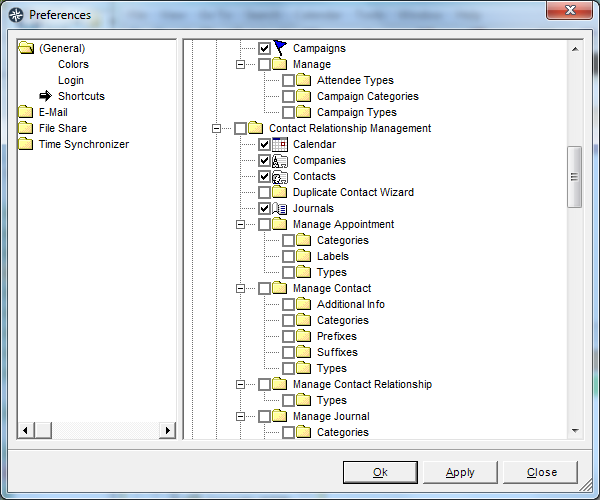
For example, anyone not using Campaigns on a regular basis might uncheck the box next to that entry shown in the list. This will remove it from the Shortcuts to reduce clutter.
On the other hand, I find myself searching contacts quite frequently, so I might scroll down to the Search section of the list and check the box next to Contacts, which will add that new shortcut to my list.
All items removed or present in the Shortcuts list or New items panel can always be found in the Go To menu, so don't be worried about losing something permanently.