
A key way to work with and import/export data with external systems is by using spreadsheets, the most universal format of which is CSV (comma separated values). All spreadsheet programs work with CSV files, as do most programs you might work with, including financial, faxing, bulk mailing, label makers, mapping, etc.
Here is a summary of the various formats that MRSware exports, to be printed or as part of working with other programs:
- All tables in MRSware save directly as CSV spreadsheet files. Go to the File menu, select Save As, name the file as desired. The contents will be the table listing exactly as you see it; to change what columns are visible, use the View → Settings → Configure menu option.
- Reports can be run in PDF (portable document format), XLS (Excel spreadsheet), MHTML (web archive format), or TIFF (image format). Each format has its best use: PDF for printing; XLS for sorting, filtering and charting; MHTML for use in emails; and TIFF for embedding into documents. Select the desired format at the top of the Report Prompt dialog.
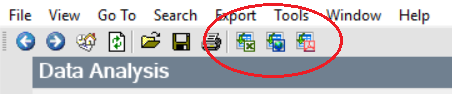
- Data Analysis has three export formats, XLS, HTML, and PDF. The exported data is exactly as shown in the grid in its current state, including filters and sorting as currently set. Due to the nature of how information is shown in Data Analysis, the most useful format to export to is as XLS spreadsheet.
Those are some of the default options readily available throughout MRSware. If you have a specific need for a different format or options, please contact support as we can probably accommodate most requests.