
When you need to disable a User account in MRSware, you can do so in the System Administration screen. Open the System Administration screen from the Go To menu (it is the last entry at the bottom of the list). In the Users listing, select the User you want to disable and select Edit. In the Edit dialog's first tab, uncheck Enabled and set the Disabled Date. When you save your changes, you will notice that the green flag next to the User name has changed to grey.
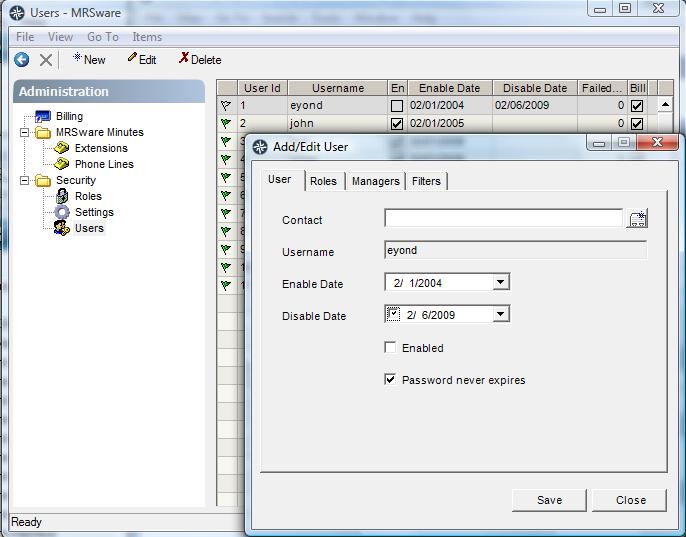
That is all you need to do to remove the User's ability to login to the system, and remove them from the monthly billing.
If you would also like to remove the user from the various selection lists in the system, you can uncheck their Roles in their Roles tab.
remove-access-to-mailbox-for-disabled-user.htmlYou may also want to prevent the User's ability to access his email.