
This report is a printout of an individual Payment Entry, intended for filing with the manufacturer's commission statement after payment entry.
Users can run this report from Payment Entry screen by right-clicking on a Payment and choosing "Reports" → "Commission Payment Reconciliation".
Users can run this report from Payment Entry screen by right-clicking on a Payment and choosing "Reports" → "Commission Payment Reconciliation".

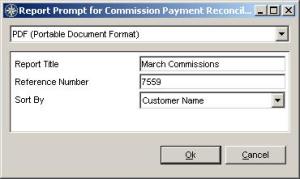
- Choose your desired format from the drop-down menu at the top.
- Enter a title for the report that makes sense to you.
- The Reference Number of the report you clicked on is pre-filled in.
- The default sort order is by Customer Name; select Invoice Date to sort by that column instead as desired.
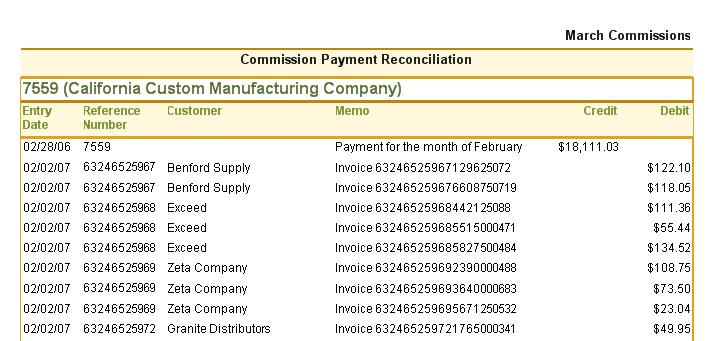
This report shows the Payment Entry information as the top line, followed by the Invoices on the Payment.

The bottom of the report shows the total Payment and the total Commission of the selected invoices. The difference between the two is shown below.
Required Permissions
In order to run this report the User must have access to the Payment Entry screen and Commission Reporting permissions.
Required Permissions
In order to run this report the User must have access to the Payment Entry screen and Commission Reporting permissions.