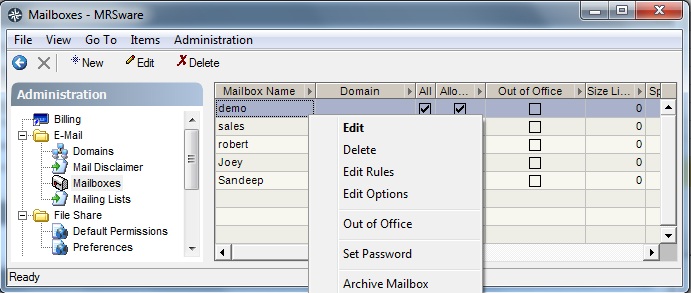
The administrator can reset POP3 / IMAP passwords through the System Administration screen. Use the "Go To" → "System Administration" menu to open the System Administration screen. Click on Mailboxes from the list. Presented is a list of all of the mailboxes in the system. Right-click on a mailbox and choose "Set Password" to the POP3/IMAP password as desired.
POP3 and IMAP use the same password and settings; there is just the one password and settings for access via either of these protocols.
POP3 and IMAP use the same password and settings; there is just the one password and settings for access via either of these protocols.