
If a User forgets his/her password and needs it reset, the company's designated Administrator can do this from the System Administration screen. Go to the Users section, right-click on the Users entry and select "Set Password".
The Administrator can set the password to anything they like, then give that to the User. The user can then continue to use that password, or personalize the password from their "Tools" → "Change Password" menu.
The Administrator can set the password to anything they like, then give that to the User. The user can then continue to use that password, or personalize the password from their "Tools" → "Change Password" menu.
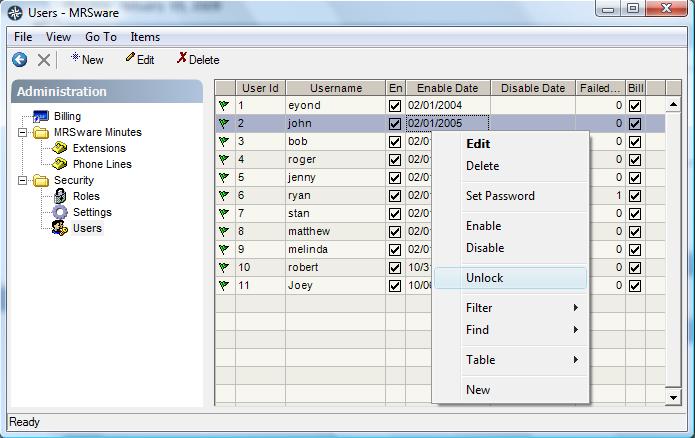
The System Administration screen is accessed from the "Go To" menu -- it is the last entry in the menu, at the bottom.