
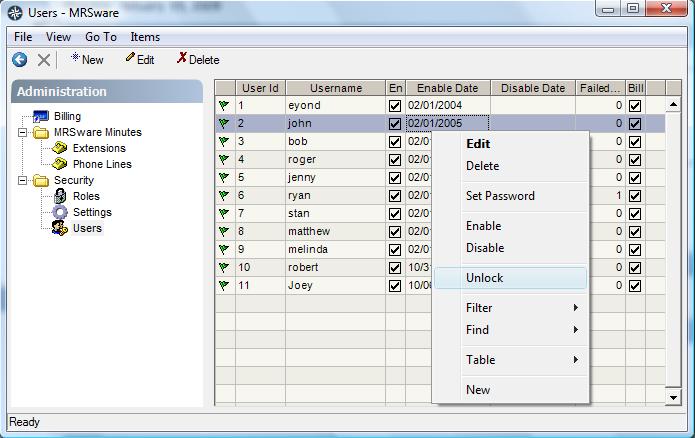
MRSware includes a security feature that locks a User's account if too many login failures occur consecutively. The company's designated Administrator can Unlock a locked account by going to the Users listing in System Administration, right-clicking on the locked User and selecting "Unlock".
A locked User's entry in the Users list will show a red flag next to it.
A locked User's entry in the Users list will show a red flag next to it.
The System Administration screen is accessed under the "Go To" menu in MRSware. It is the last entry, at the bottom of that menu.