
When disaster strikes, your Disaster Plan kicks in. Depending on the type of disaster, you may have to add or change your employee's responsibilities. If you are adding duties for one person you will want to give them permission to access other areas in MRSware. If you are eliminating an employee you will definitely want to disable their permissions so they cannot access your data.
MRSware has extensive permissions which you can change whenever needed. To access permissions:
1. On the menu bar, click on "Go To -> System Administration"
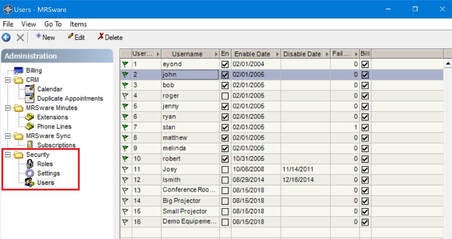
Here's a great post* on MRSware's many different types of permissions and how to adjust them.
* This post is available only to System Administrators.