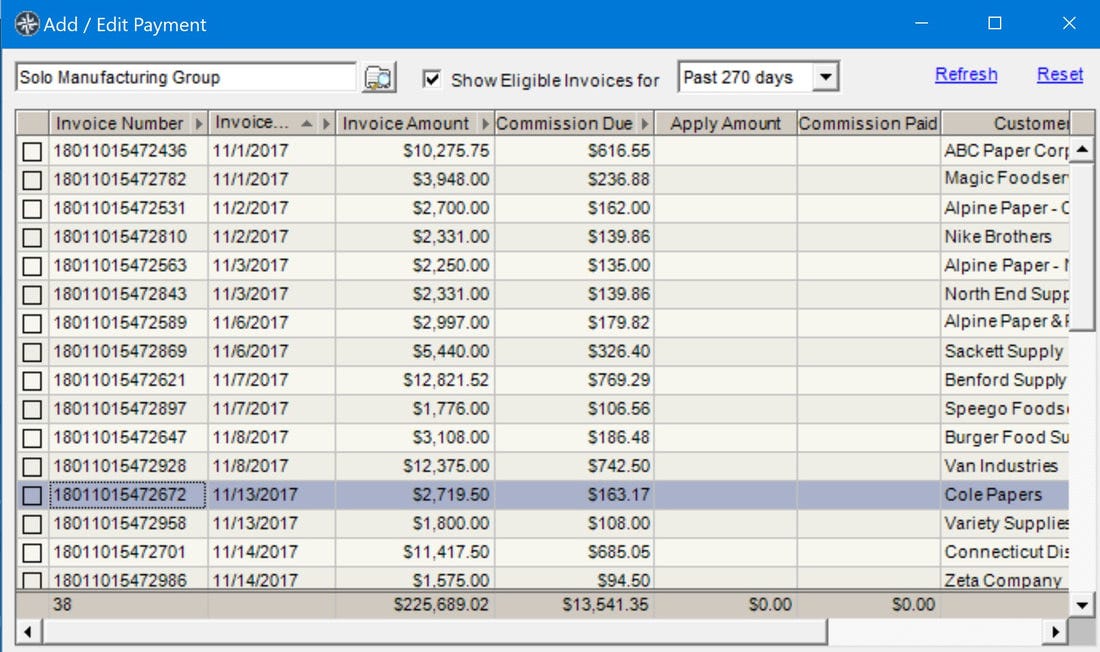
You may want to find a single invoice among many to be paid. If the invoice numbers are long it can be confusing. The easiest way to find the one invoice is to search for it in the Payment entry table. To do this:
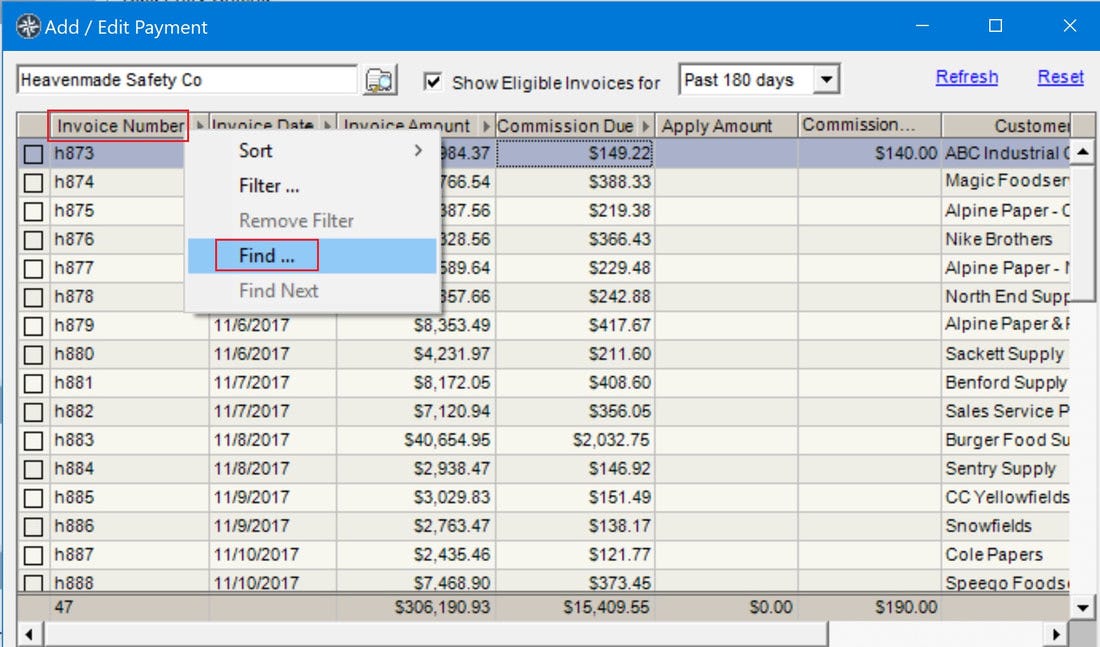
1. Right-click on the column header "Invoice Number" and select "Find".
2. In the "Expression Builder" dialog enter the invoice number.
3. Click "Ok".
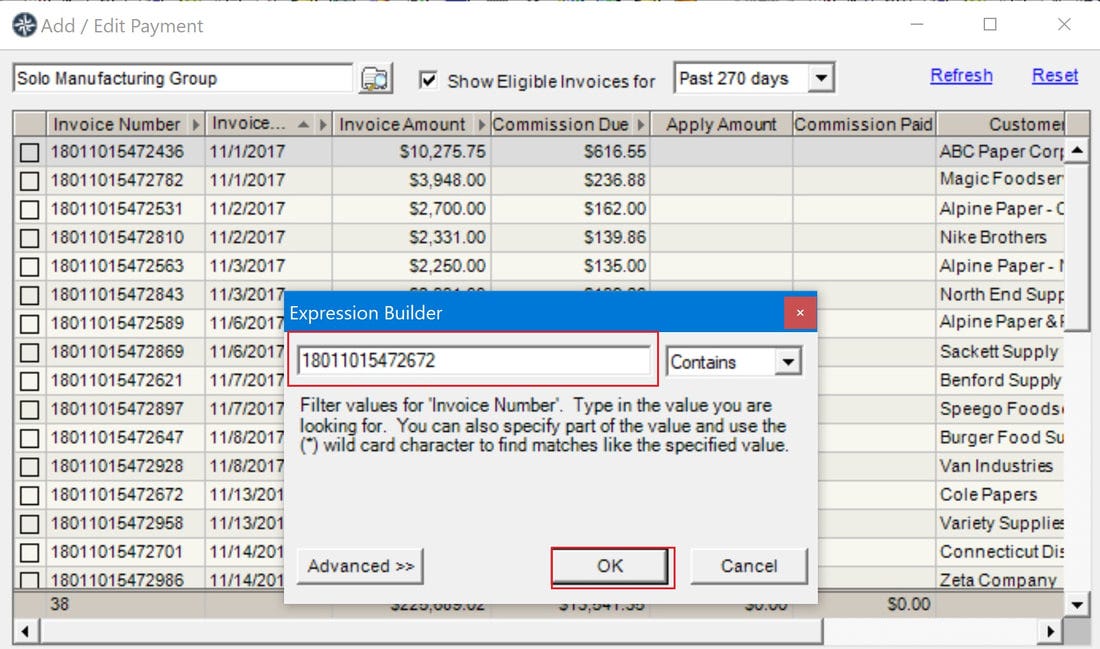
The selected invoice number will be highlighted. Check the box to pay the invoice or right-click and select "Adjust/Partial" if necessary.