
Tracking specifics enhances internal training opportunities for the sales team, focuses the marketing team on potential targets, and provides details to share with our supply chain partners on what is needed in the industry.
Whether your Close Reasons look like mine…
Lost - Competitor
Lost - Inventory
Lost - Offline
Lost - Price
… or you you have a completely custom list of your own, tracking the deals allows for better follow-up. The Close Reason Admin screen shows all the Reasons and number of deals for each — I can quickly see how many Opportunities closed unsuccessfully because we didn’t have Offline capabilities for our app. Once we reached a threshold of interest in that feature, we prioritized its development, and now it is ready.
Going back to the list, I click-through on the Lost - Offline entry to pull up the list of those Opportunities. Now it is time to make follow-up sales calls and see if we can recover any of those deals with our shiny new feature.
The same concepts work for pricing — follow-up when there is a promotion; lead times — let customers know when an item has been restocked; or even with competitors — keep an eye on the marketplace for when others are affected by shipping, inventory, and pricing issues, then follow-up and close some deals.
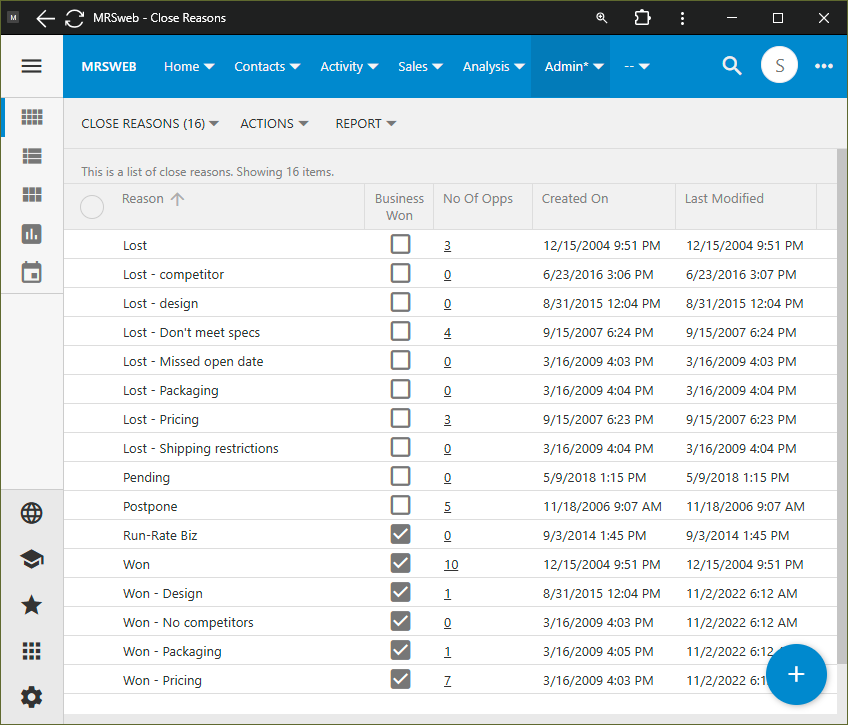
Remember not to only get caught up on the Losses. Equally valid is to collect and categorize those Wins, celebrate what is going right and your differentiators in the marketplace.
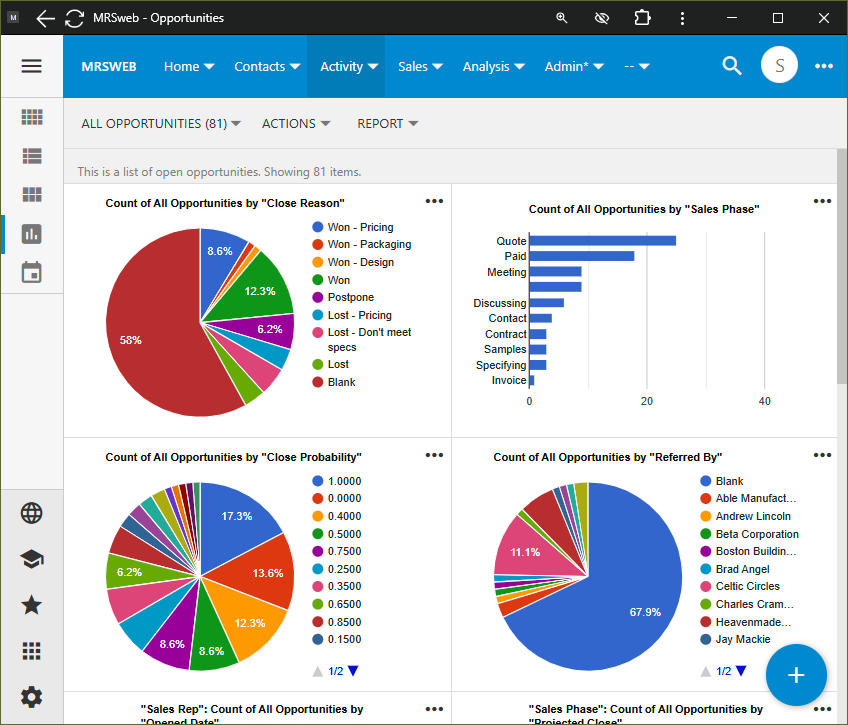
Chart your Close Reason to visualize which are getting more activity. Group by Sales Rep to see if anyone is getting stuck on a particular issue.