
While an Order or Invoice is a request to purchase, ship, and pay for something (a product or products), a Line Item represents a single entry on an order or invoice. An Order/Invoice can have multiple Line Items on it.
For example:
Order/Invoice #123:
10 cases yellow caution tape @ $2.00 each
15 cases red caution tape @ $3.00 each
5 cases blue caution tape @ $1.00 each
Order/Invoice #123 has 3 line items on it.
MRSweb has the capability to import Order or Invoice line item details. When a manufacturer provides line item details in a report they send, it only takes seconds more to import those details.
Why capture the details?
Knowledge is Power. Knowing who is currently buying a product or product group and who has stopped buying a product or product group gives you the insight you need to assist your customer build their sales. Whether it's helping to pull product through a customer's warehouse or notifying a customer of product availability or helping your customer get the best price based on quantity purchased, line item details provide you with the information you need to stay ahead of your competition.
The next two images show a list of:
Orders from a Toys and Games (manufacturer) import
Order Line Items from the same Toys and Games import
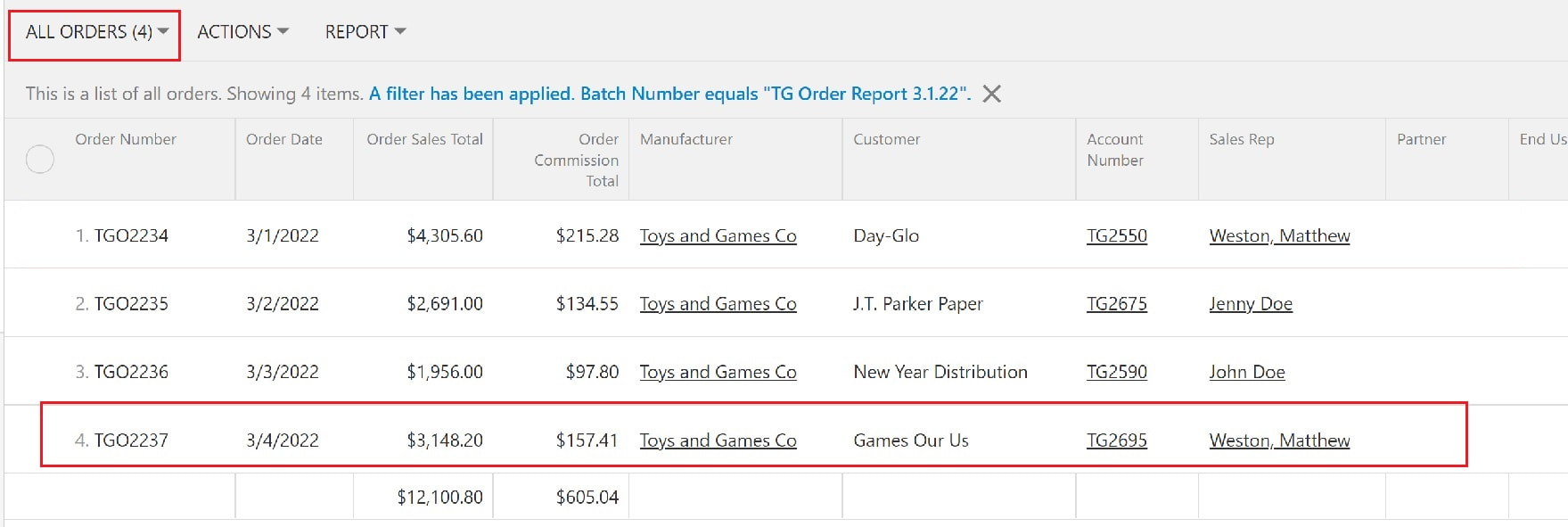
The screenshot below displays 4 orders imported from manufacturer Toys and Games on 3/1/2022.
Notice Order number TGO2237 highlighted in red.
The order's sales total is $3,148.20 and the commission total is $157.41.
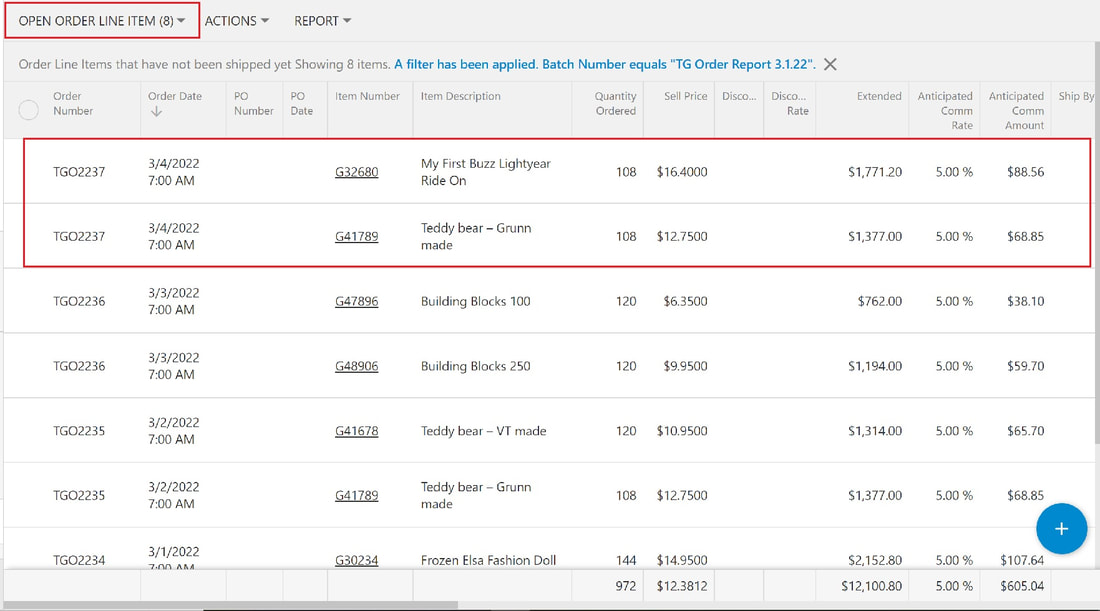
The screenshot below displays 8 line items from the 4 orders imported from manufacturer Toys and Games on 3/1/2022.
Notice Order number TGO2237 highlighted in red.
There are 2 entries representing 2 products or line items for this order. The details for each item is shown.
The next two images show filters applied to find:
All Toys and Games products purchased by one customer
One specific Toys and Games product purchased by one customer
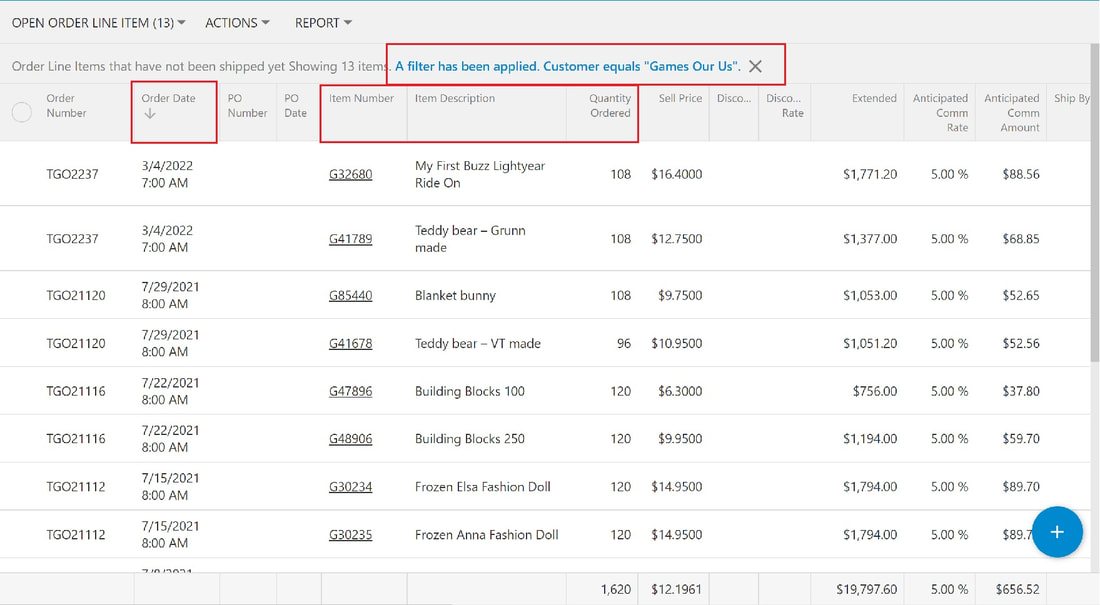
The screenshot below displays all Toys and Games products ordered by customer Games Our Us.
Notice the details - order date, item number and description, quantity ordered, and the anticipated sales and commission for the product.
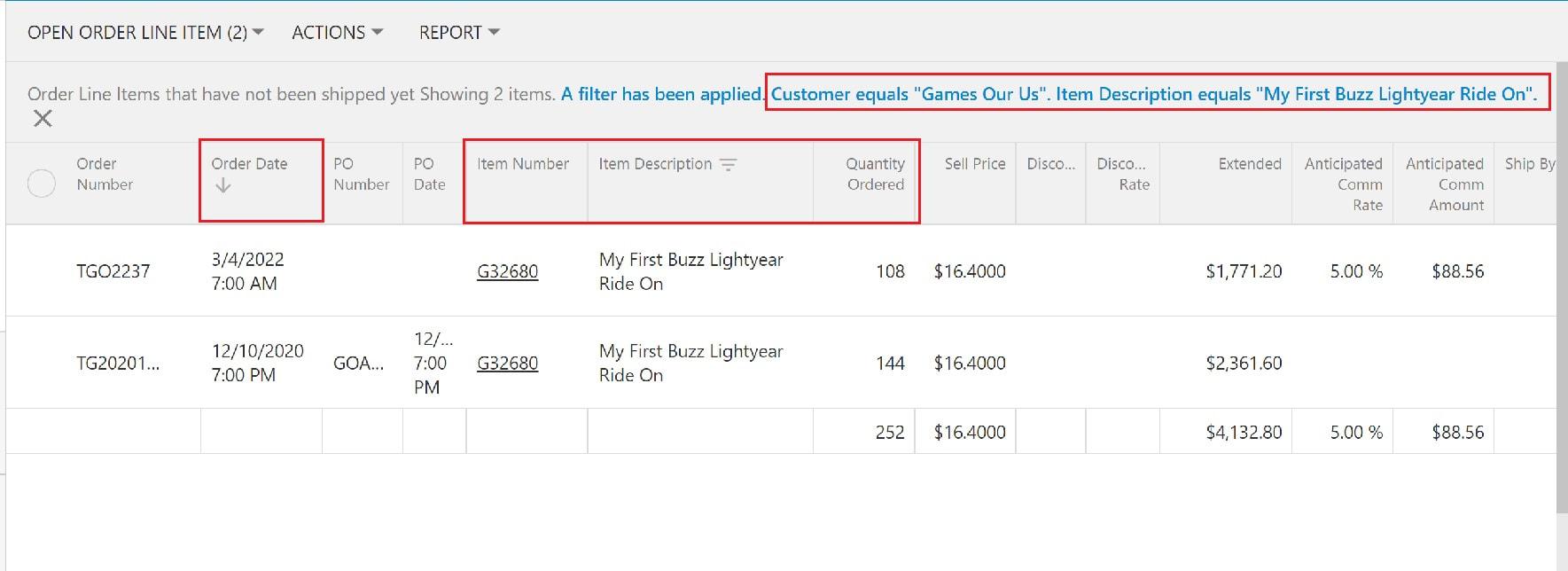
The screenshot below displays a specific Toys and Games product ordered by customer Games Our Us.
Notice the order dates - it's been over a year since they ordered the product.
Order/Invoice Line Items allows you to filter by date on any manufacturer, customer, product, product group, or sales rep.
The more information in your system, the more you know about your customers and manufacturers, the more you can help them and your company succeed.