Companies are setting up new regulations, restrictions, and guidelines to follow when re-opening for business. Every business is different in how they want their employees to interact with the public, including vendors.
Sorting and organizing all the various rules is a like a jumble - confusing if you don't have a system that allows you to track and share them. In MRSware you can track and share these guidelines to make it easier to work with all businesses you interact with.
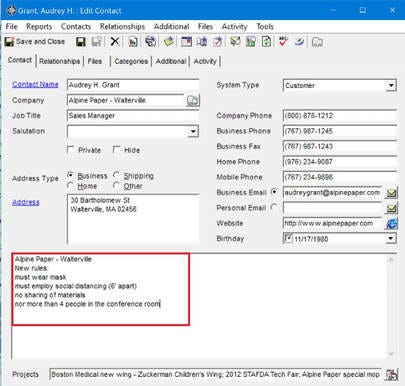
One way to enter the information is in the Contact’s Note field.
Here's how:
In MRSware -
1. Open a Contact card
2. In the Notes field, enter the new regulations for doing business with the contact's company
3. Click "Save and Close"
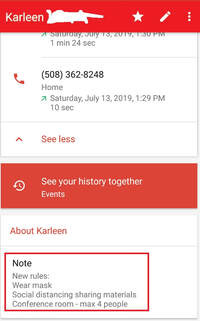
On your phone:
1. Tap on Contacts
2. Select a Contact
3. Tap "Edit"
4. Tap "Notes"
5. Enter the new regulations for doing business with the contact's company
6. Tap "Save"
Once saved, the information will be Sync'd with MRSware Sync, so you have access to the information wherever you're working.