
MREPS – Order Entry, Invoicing & Line Item Management
Order Entry & PO Tracking
Track purchase orders from placement through factory shipment. Capture Customer PO Number, Terms, Special Shipping Instructions, Freight Terms, and Estimated Ship Date.
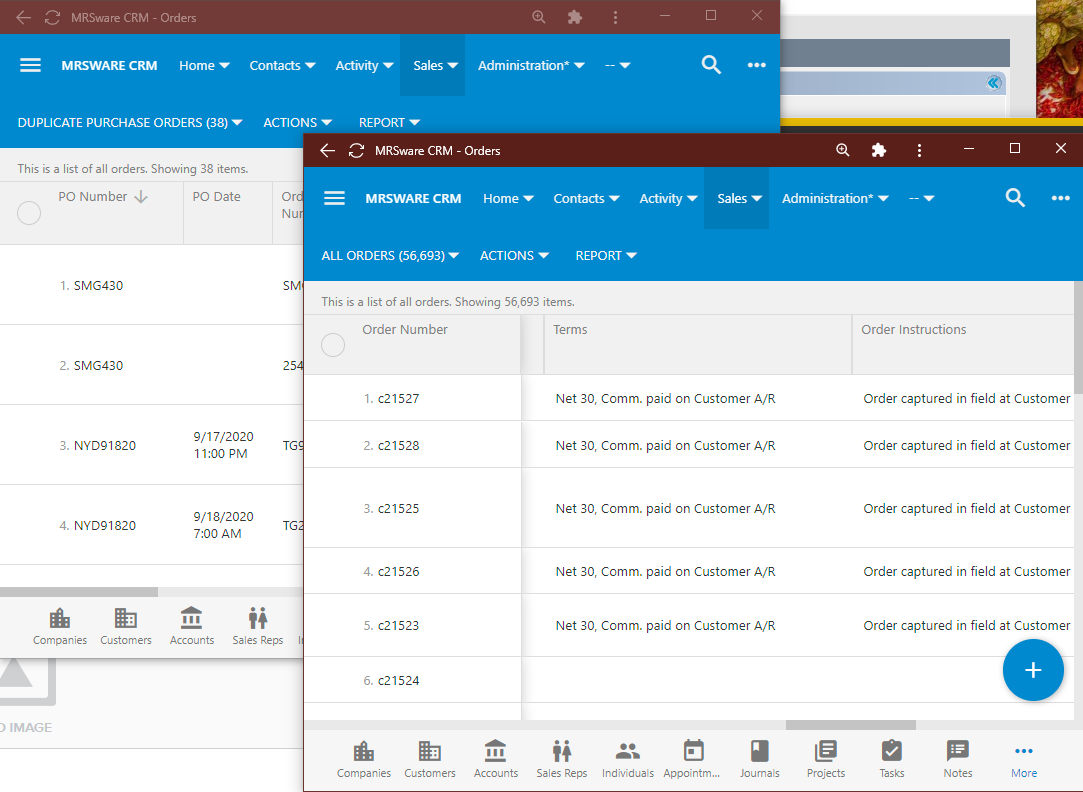
Mastering the Order-to-Ship Ratio
Compare booked orders against factory invoice shipments in real-time to identify backlogs, delayed factory shipments, or cancelled customer orders before commissions are impacted.
Invoice Entry & Quick Add Line Items
Enter factory invoices manually or via batch file imports. Use Quick Add to rapidly enter line items by Product Catalog Number, Quantity, Unit Price, Commission Rate, and Extended Commission Amount.
Customer Contact Field & Automatic Population
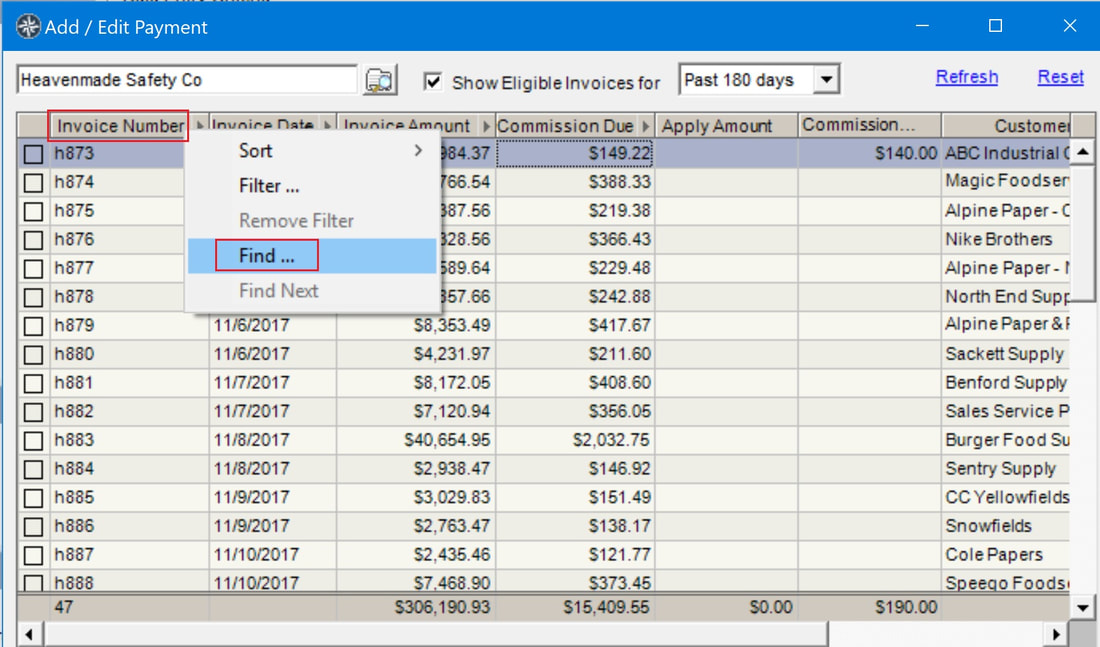
In addition to selecting the Customer company, the Add / Edit Invoice screen provides a dedicated Customer Contact autocomplete field located immediately below Customer.
- Individual Contact Linkage: The contact selector is strictly filtered to individual persons (
ContactFormat = 0), ensuring invoices are tied to the direct buyer, purchasing agent, or project contact rather than a company account. - Email Message Conversion: When generating an invoice directly from an incoming email message, the Customer Contact field automatically populates from the message sender's contact record (or resolves matching email addresses).
- Clipboard & Document Parsing: The parser automatically extracts the contact from email headers (
From:), sender lines, or explicit labels likeCustomer Contact:,Attn:, andOrdered By:. - Parent Relationship Resolution: Selecting an individual contact automatically aligns or defaults the parent Customer company if not yet specified.
Paste & Files Tabs: Collapsible Field Mappings & Persistence
The Add / Edit Invoice dialog features a three-tab drawer architecture: Invoice (core entry fields), Files (document linking & processing), and Paste (free-form text ingestion).
Both the Paste and Files tabs feature collapsible panels docked at the bottom of the window (cpPasteMappings and cpFileMappings). When raw text is pasted or a document is processed, the panel automatically expands to display extracted field values in plain text (FieldName: Value) in a large monospaced editor.
Key Features & Workflow:
- Direct Plain-Text Editing: Review extracted values at a glance (Invoice Number, Invoice Date, Customer, Customer Contact, Customer PO, Account Number, Order Number, Terms, Notes, etc.). If a field was misread, omitted, or needs adjustments, edit or add lines directly in the text box.
- Apply to Invoice Action: Click the "Apply to Invoice" button on the panel title bar to parse your corrections and instantly update the primary invoice entry fields on the Invoice tab.
- True Data Persistence:
- The raw pasted data in the Paste text area is saved and persisted with the invoice record.
- Extracted field mappings on both the Paste and Files tabs are persisted to dedicated files in
%APPDATA%\MRSware\<username>\Preferences\InvoiceData\(for drafts and saved invoices). - Clean Notes Field: Because raw paste and mappings are independently persisted, raw paste data is no longer dumped into the Notes / Special Instructions field, keeping invoice notes clean and customer-ready.
Self-Learning Parsing Engine
MRSware's invoice parsing engine features built-in machine learning from user corrections. It remembers how your customers and factories label their invoice and PO fields so you never have to correct the same layout twice.
How the Learning Engine Works:
- Ingest Source Data: Paste an email or document text into the Paste tab, or add an invoice file (PDF, CSV, TXT, EDI, EML) to the Files tab.
- Review Mappings: The parser extracts recognized fields and populates the collapsible mappings panel.
- Correct Values: If a vendor uses non-standard labels (e.g.
Client PO #: 98765orOrder Ref: SO-1234) that the default parser missed, simply type the canonical mapping in the panel:Customer PO: 98765 Order Number: SO-1234 - Apply & Learn: Click "Apply to Invoice". The engine searches the raw source text for your corrected values, identifies the preceding label or keyword (e.g.
Client PO #orOrder Ref), and automatically registers the new alias rule inInvoiceParserRules.xml. - Zero-Touch Automation: The next time text or a file is processed containing that vendor's label, the parser checks your learned alias dictionary first, automatically extracting and mapping the field.
Invoice Entry: Edit in Spreadsheet & Batch Invoicing
For high-volume invoice processing, MRSware Desktop provides dedicated Edit in Spreadsheet functionality (InvoiceSpreadsheetForm) accessible from the Invoice Entry toolbar or via Invoice > Edit in Spreadsheet... (Ctrl+E).
The Invoice Spreadsheet window loads the currently filtered invoices into an Excel-like editable grid. In-cell editing, calendar combos, lookup dropdowns, and clipboard paste empower back-office teams to process hundreds of invoice lines in minutes.
Capabilities of Invoice Spreadsheet Editing:
- Typed Column Editors:
Invoice #: Direct text entry (required field).Invoice Date&Order Date: Dropdown calendar combo pickers.Principal / Manufacturer: Fast autocomplete dropdown bound to active Principals.Customer: Type-to-filter dropdown bound to Customers.Order #&Customer PO #: Freeform text reference fields.Sales Rep: Dropdown lookup bound to active agency Sales Reps.Invoice Amount,Discount,Commission: Formatted currency editors.Split %: Formatted percentage input.Paid: Single-click toggle checkbox.
- Excel Clipboard Ingestion: Copy multi-line invoice batches from factory Excel spreadsheets and press Ctrl+V (or click "Paste from Excel") to automatically map and populate rows.
- Column Freezing & Header Sorting: Freeze reference columns on the left and sort or filter rows on the fly with Ctrl+F.
- Continuous Entry Line: Add new invoice lines continuously at the bottom entry row.
- Transactional Batch Save: Validates all records and commits all modifications in a single database transaction, instantly refreshing the main invoice listing.
Partial Shipments & Backorders
MRSware automatically tracks partial invoice shipments against open master orders, maintaining outstanding balances and commission calculations until the order is fully fulfilled.
📚 Related Documentation & Deep-Dive Articles (15)
View in Documentation Library →Explore additional procedural tutorials and technical documentation references for this chapter:
Add Customer and Invoice Search Icons to the Shortcuts Panel
Technical guide for Add Customer and Invoice Search Icons to the Shortcuts Panel.
Company's Activity Lists Now Showing Invoices
Technical guide for Company's Activity Lists Now Showing Invoices.
Customer Name Auto-Complete during Invoice Entry
Technical guide for Customer Name Auto-Complete during Invoice Entry.
Generic CSV Invoice Import Wizard User Manual
Technical guide for Generic CSV Invoice Import Wizard User Manual.
Have the system calculate commissions automatically upon Invoice Import using Commission Rules
Technical guide for Have the system calculate commissions automatically upon Invoice Import using Commission Rules.
How to add a custom calculation and reorder columns in Data Analysis cubes
Technical guide for How to add a custom calculation and reorder columns in Data Analysis cubes.
How to Manually Enter an Invoice with Line Item Details
Technical guide for How to Manually Enter an Invoice with Line Item Details.
How to Manually Enter an Invoice with Sales & Commission Totals
Technical guide for How to Manually Enter an Invoice with Sales & Commission Totals.
How To: Manually Entering Invoice Line Item Details
Technical guide for How To: Manually Entering Invoice Line Item Details.
Invoice Import (Sales and Commissions Import)
Technical guide for Invoice Import (Sales and Commissions Import).
Order Entry Discount Fields
Technical guide for Order Entry Discount Fields.
Order/Invoice Line Items
Technical guide for Order/Invoice Line Items.
Search Invoices by Import Batch File Name
Technical guide for Search Invoices by Import Batch File Name.
The Cost of Line Item Detail Reporting
Technical guide for The Cost of Line Item Detail Reporting.
The Issued Checkbox on Invoices
Technical guide for The Issued Checkbox on Invoices.