MRSweb - Lesson 15.1 - Product Catalog - Edit Product | MRSweb Online Training
← Back to Web Training Curriculum Hub
Lesson 64 of 69
Lesson 15
Chapter 1 - Edit Product
If your manufacturer increases a price, offers new packaging (Unit Type), or you want to add a product to a group, you are able to edit the item in the Product Catalog.
Chapter 1 - Edit Product
If your manufacturer increases a price, offers new packaging (Unit Type), or you want to add a product to a group, you are able to edit the item in the Product Catalog.
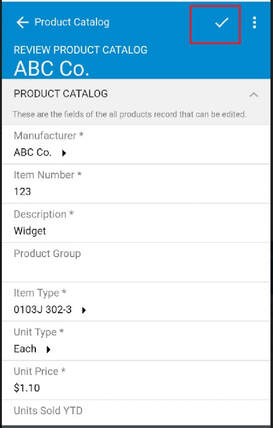
Here's how to edit a current product:
i - As in the MRSware desktop client there is more than 1 way to edit a product
Desktop options
i - As in the MRSware desktop client there is more than 1 way to edit a product
Desktop options