MRSware Logo MRSware Web Web & Mobile Guide
💻 Desktop Guide 📱 Web & Mobile Guide

MRSweb - Lesson 4.7 - Contact Reports | MRSweb Online Training

← Back to Web Training Curriculum Hub Lesson 29 of 69
Lesson 4

Chapter 7 - Contact - Reports


Contact Reports are available in MRSweb.  You can run the reports from a selected Company or Individual.

Here's how to open a report:
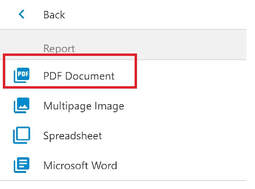
The Contact Report opens:

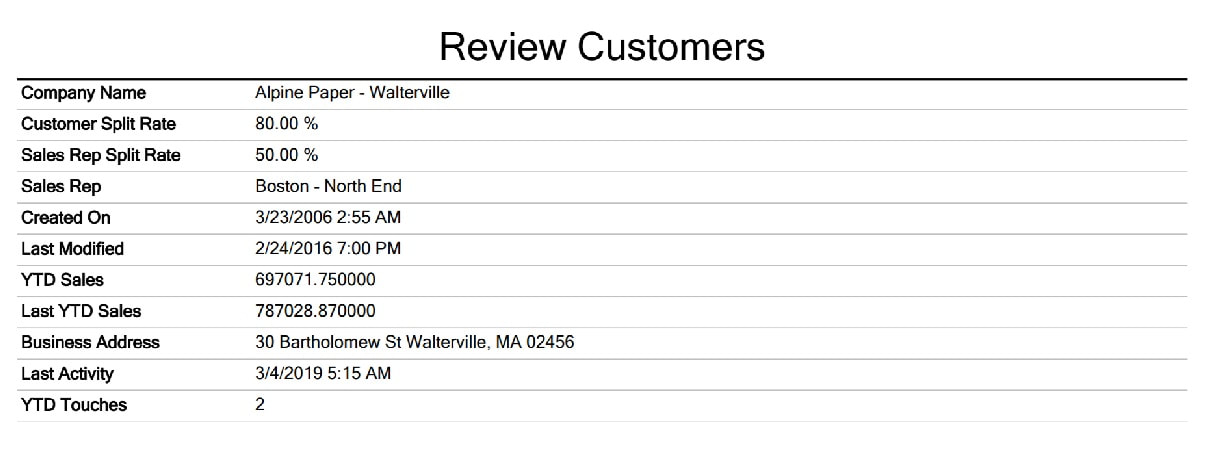
Customer Reports are available in MRSweb.  You can run the reports from a selected Customer.

Option 1, Option 2A, Option 2B:

The steps are the same as the steps shown above on how to open a Company or Individual report.  The only difference is the first few steps:

1. Click or tap on "Customers"

2. Click or tap on "Active Customers"

3. Select your view style

4. Select the Customer (in the example, we selected Alpine Paper - Walterville)

Repeat all other steps

Picture
Ready for the next lesson?
Continue through the structured MRSweb online training curriculum.
All Lessons Next Lesson →