MRSweb - Lesson 9.2 - Create a New Journal | MRSweb Online Training
← Back to Web Training Curriculum Hub
Lesson 43 of 69
Lesson 2
Chapter 2 - Create a New Journal
Here's how to add a journal:
i - As in the MRSware desktop client there is more than 1 way to add a new journal
Chapter 2 - Create a New Journal
Here's how to add a journal:
i - As in the MRSware desktop client there is more than 1 way to add a new journal
Desktop options
Option 1:
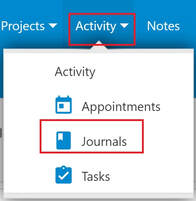
1 - Click or tap "Journals" the Menu bar or Menu list
Option 1:
1 - Click or tap "Journals" the Menu bar or Menu list
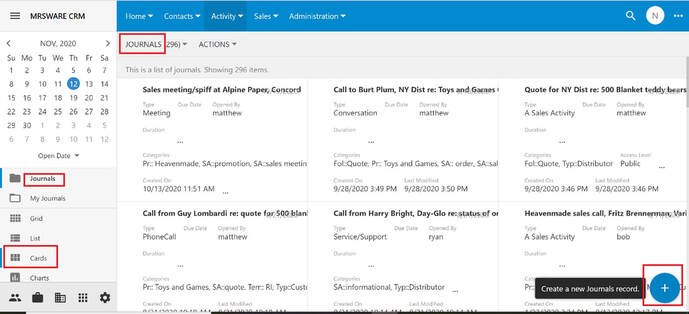
2 - Click or tap the "Plus" sign on the bottom right of the page to open a New Journal form
* Note:
Journals, in the above screenshot, are shown in the Cards style
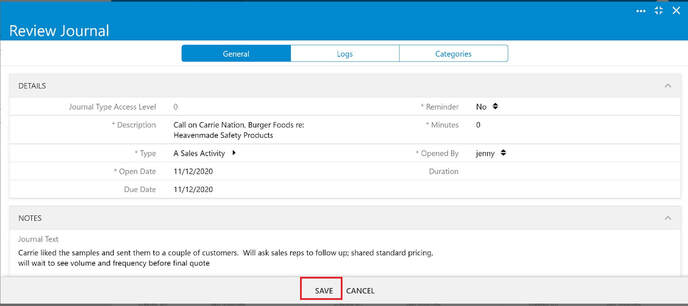
3 - The New Journal form opens
4 - Fill out the form
5 - When finished, click or tap "Save"
i Once you have saved the new journal, click or tap "Edit" to add categories or contacts. When done, click or tap "Save".
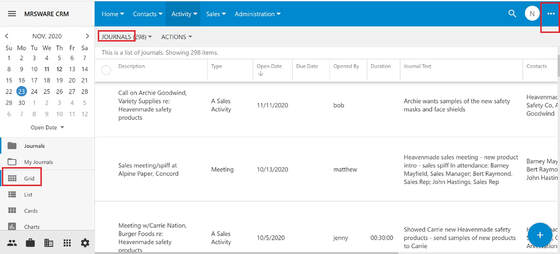
Option 2:
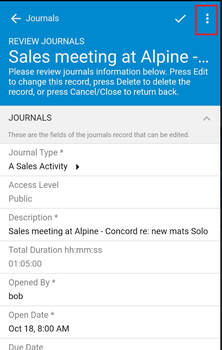
1 - Click or tap the "3 dots" on the right of the Menu bar
* Note:
Journals, in the above screenshot, are shown in the Grid style
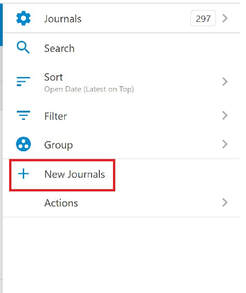
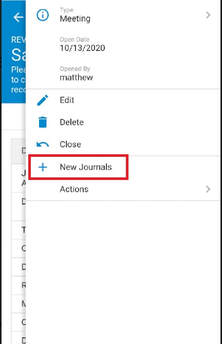
2 - When the slidebar on the right opens, click or tap "New Journals" to open a New Journals Form
3 - The New Journals form opens.
4 - Fill out the form
5 - When finished, click or tap "Save"
Mobile Options
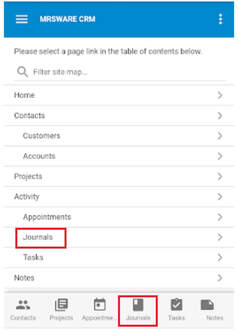
Option 1:
1 - Tap "Journals" on the Menu list or on the Tab bar (bottom of the page)
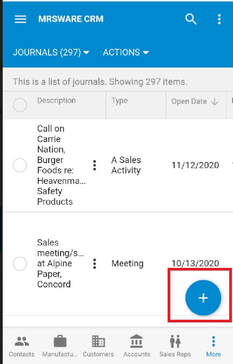
2 - Tap the "Plus" sign at the bottom right of the screen to open a New Journals form.
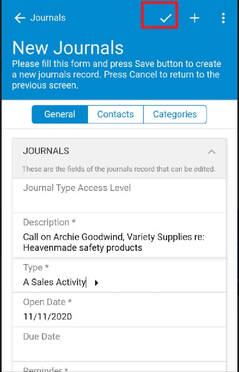
3 - Fill out the form
4 - When finished, tap the "checkmark" on the Menu bar (top of the page) to save the new journal