MRSweb - Lesson 10.5 - Tasks - Sort, Filter | MRSweb Online Training
← Back to Web Training Curriculum Hub
Lesson 53 of 69
Lesson 10
Chapter 5 - Tasks - Sort, Filter
You are able to sort and filter your tasks in the tables of MRSweb.
Sort
Sorting data makes it easier to see and review the data displayed.
Chapter 5 - Tasks - Sort, Filter
You are able to sort and filter your tasks in the tables of MRSweb.
Sort
Sorting data makes it easier to see and review the data displayed.
Here's how to sort in a table:
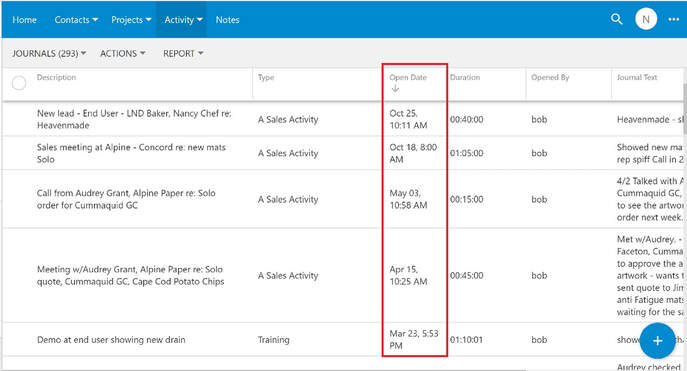
The screenshot seen below is sorted by Open Date so that the listing displays task open dates with the latest date on top.
Note the down arrow in the Open Date column header.
Note the down arrow in the Open Date column header.
Filter
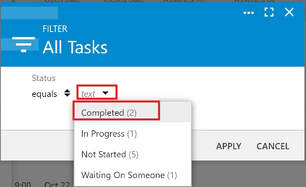
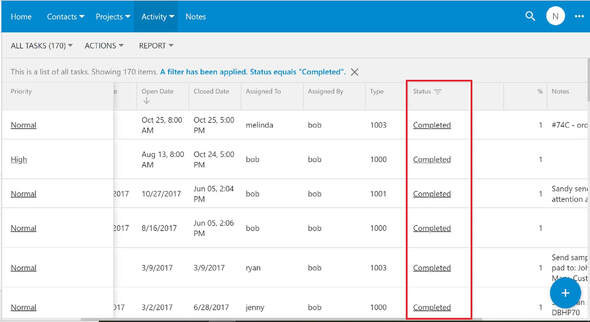
Filtering data separates out the unwanted information, hiding the information that doesn't meet your filter criteria.
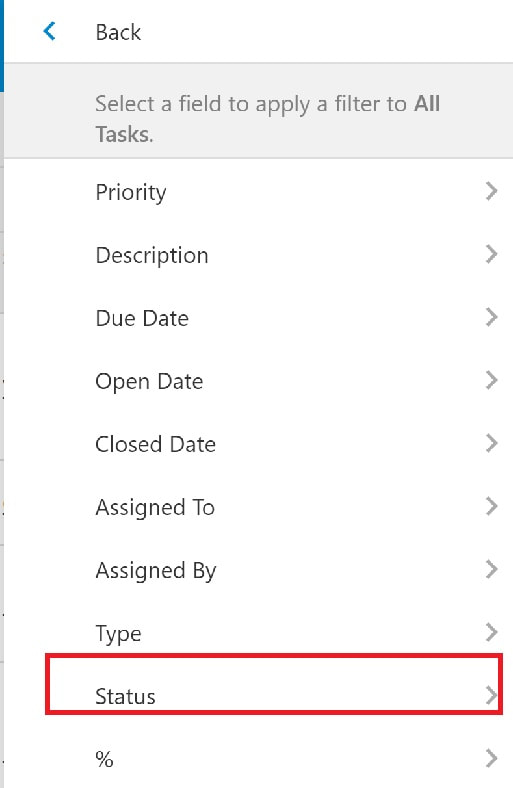
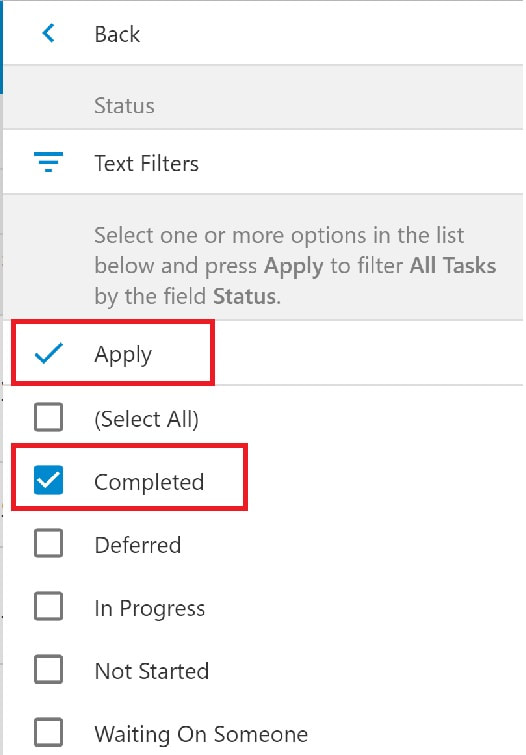
Here's how to filter in a table:
In the Grid view you can filter by any of the column headers.
In the example shown in the following screenshots, we want to show only the tasks that are sales journals. So we will filter the Type column.