If you find yourself looking up Customer and Invoices on a frequent basis, you can add those two search icons directly to your Shortcuts panel. Doing so makes the search screens more accessible.
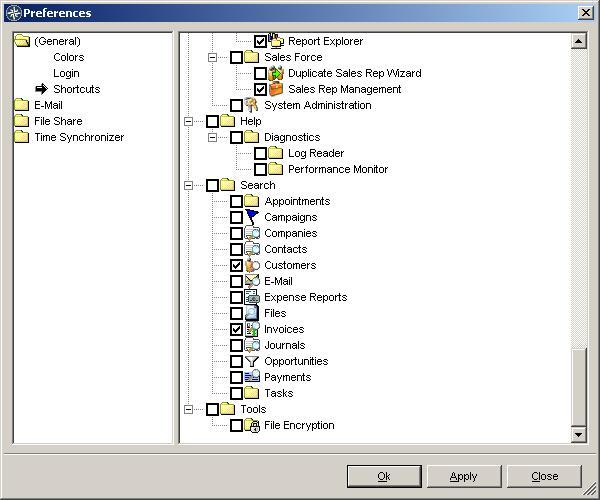
Open the "Preferences" dialog from the "Tools" menu. In the list are all of the icons that can be shown in the Shortcuts Panel. In this case, we are looking to the very bottom of the list where the "Search" dialogs are listed. Check "Customers" and "Invoices" to show those icons in Shortcuts.
Open the "Preferences" dialog from the "Tools" menu. In the list are all of the icons that can be shown in the Shortcuts Panel. In this case, we are looking to the very bottom of the list where the "Search" dialogs are listed. Check "Customers" and "Invoices" to show those icons in Shortcuts.