
Categories are attributes created and assigned by you to aid in searches (think of them as keywords for your searches and grouping). In the CRM you will find categories on Appointments, Companies, Contacts, Journals and Tasks. Each of these types of items has their own Categories list, so that you can have just entries that apply to that type of item.
Follow the instructions below to create a new Category:
Follow the instructions below to create a new Category:
- Click on Companies or Contacts in the Shortcut panel. (The instructions are the same for Calendar, Task or Journal). The Companies/Contact list will open.
- Double-click on a Company to open the Company card
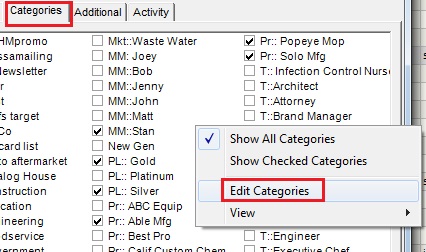
- Click on the Categories tab.
- Right-click in the open space and select Edit Categories. The Input dialog box will open.
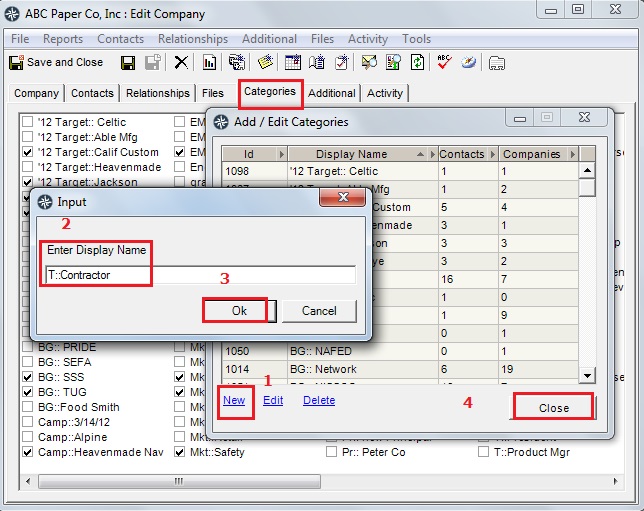
- Click "New"
- Type in the name of your new category (in the example "T::Contractor") and then click Ok.
- Click "Ok"
- Click "Close"
Your new category will appear in all future Companies/Contacts Categories tabs.
Next step is to Assigning the Category