
The Customer Listing screen creates a Customer entry from an existing Contact, assigns a default Sales Rep, default Split Rate for this Customer, and allows for the assignment of multiple Account Numbers. It is typical to have 1 account number per manufacturer, reflecting that manufacturer's actual account number for that customer. It is also fairly typical (usually as a hold-over from previous sales and commissioning software) to have a default, or "internal", account number for the customer that applies to all manufacturers -- an account number can be entered without a manufacturer association.
| To add an Account Number to an existing Customer: 1. Select the customer in the Customer Listing and press the Edit button. 2. In the Accounts section, type in the (optionally) Manufacturer Name and the Account Number. 3. Press Add. Each Account Number, and associated Manufacturer, will be listed in the table. Adding Account Numbers allows for the user to search by Account Number and Manufacturer in the Customer Search dialog. | 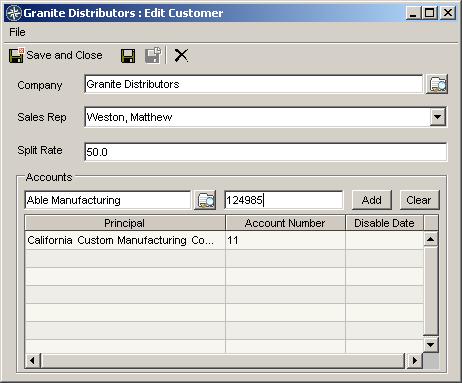 |