
Is your News folder getting a little full, want to clean it up by looking at the most frequent senders? The Quick Filter function filters the message list to show the message from the top senders. This is a quick way to filter your Inbox, News or other folders in order to follow-up, read, or delete in bulk the most frequent senders' messages.
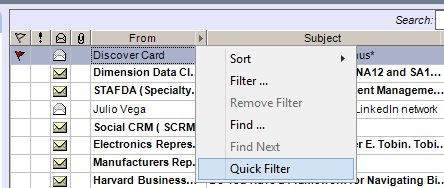 | Click the right-arrow on the column header "From". Click Quick Filter at the bottom of the menu. |
| The From Names with the highest number of emails shows in the list. Click one of those names to filter the list to show the emails from that sender. | 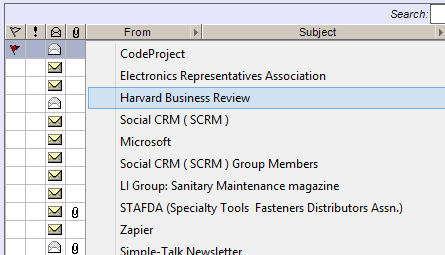 |
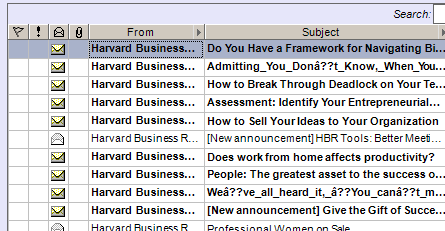 | The messages from that sender are shown. They can be reviewed easier, a conversation followed easier, or use Ctrl-A to select all of them and move/delete them in bulk. |