
In order to make the most of the little amount of time you have with a customer, I'm sure you review his/her activities and sales prior to your meeting. MRSware has 2 reports that provide that information.
In this post we will go over how to open a Customer Snapshot.
In this post we will go over how to open a Customer Snapshot.
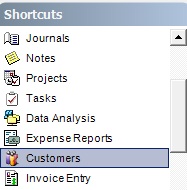
| 1. Click on Customers in the Shortcuts panel. | 2. Click on the name of the customer you are going to visit. |
 |  |
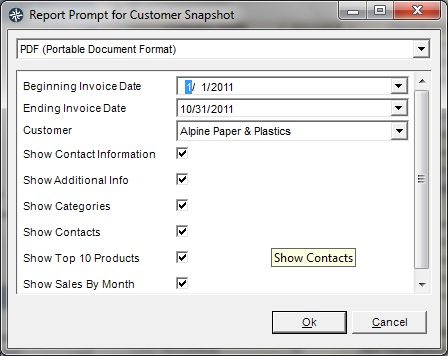
| 3. Click on Customer Snapshot on the Button or Tool bar. | 4. Select dates, uncheck the boxes for the information you do not want to appear in the report, click Ok. |
 |  |
5. Print the report or send the report to yourself as an e-mail attachment in order to have the information available while with your customer.
5. Print the report or send the report to yourself as an e-mail attachment in order to have the information available while with your customer.
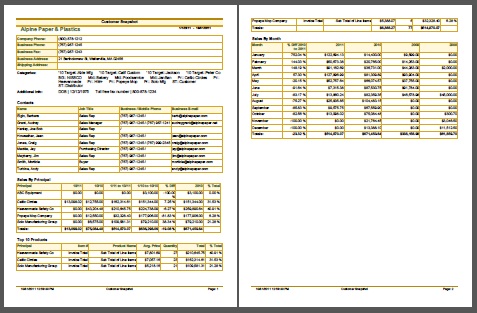
The other report is the Contact Printout. Be sure to open and review the activities that have taken place with your customer.
I'm sure you've heard the old adage - "Forewarned is Forearmed" which means advance warning provides an advantage. While you may not need a warning, the more information about and knowledge of your customers you have before meeting with them will certainly provide you with a competitive advantage.