
In MRSweb, instead of scrolling through a long list when you're looking for a specific company or contact, use the "Filter" option to quickly find your company or contact. Think of this as the MRSweb Quick Contact Selector.
Here's how:
Here's how:
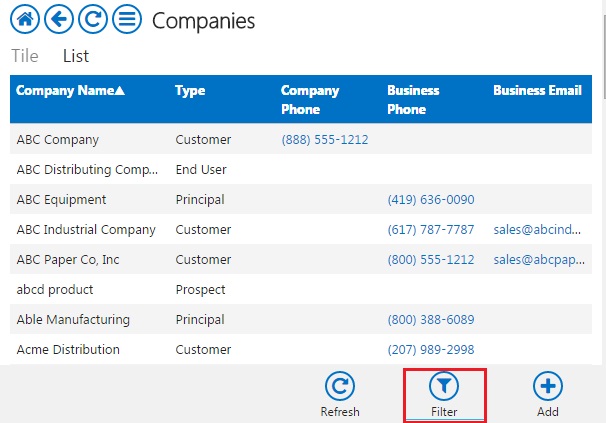
1 - Tap the "Filter" button found in the lower right hand corner of the Companies page.
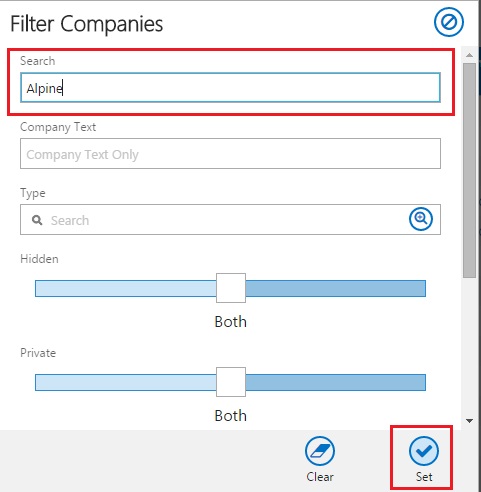
2 - Type in the name of the company in the "Search" field and tap the "Set" button found in the lower right hand corner of the Filter Companies dialog.
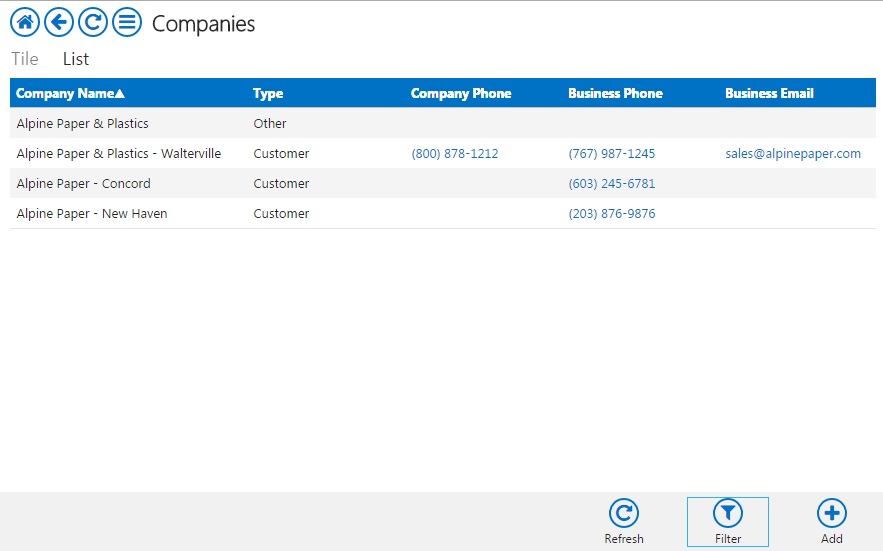
3 - The companies table will open showing the filtered list based on what you typed into the Search field
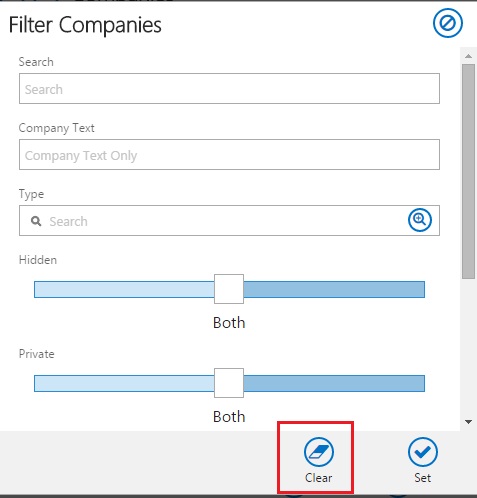
4 - To remove the filter and return to your full Companies listing, tap on the "Filter" button again and tap on the "Clear" button, found in the lower right hand corner of the Filter Companies dialog.
5 - The full Companies listing will re-open.
Follow the same steps for filtering in the Contacts table listing.