MRSware Logo MRSware Documentation
💻 Desktop Guide 📱 Web & Mobile Guide 🛡️ Admin Guide 📰 Blog Hub

Search Icons for the Shortcuts Panel

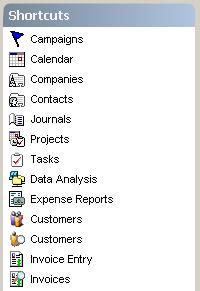
Users can place shortcuts to the Search menu dialogs directly in their Shortcuts Panel.  The utility of this is evident for users who use the search dialogs frequently throughout the day.

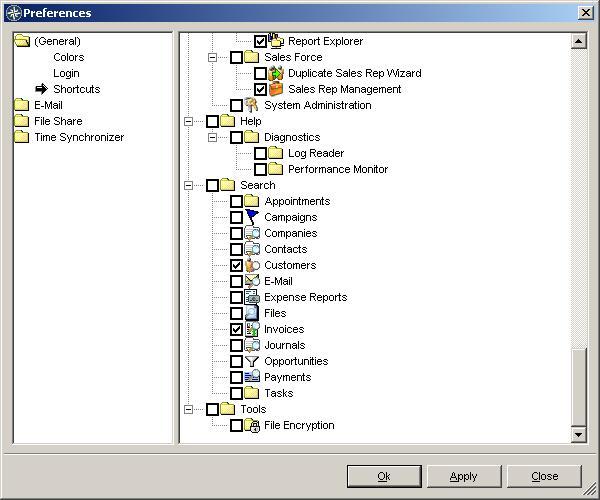
To place one or more Search items in the the Shortcuts panel:
  1. Click on the "Tools" → "Preferences" menu item.
  2. Scroll down towards the bottom of the list of available items, to the "Search" area.
  3. Mark with a check one or more items that you would like to appear in your Shortcuts panel.


​