Reminders can be set on individual e-mails through the Flag for Follow Up option. When a Due By date is set for the Follow Up, the item will pop-up at the specified date and time in the Reminders window.
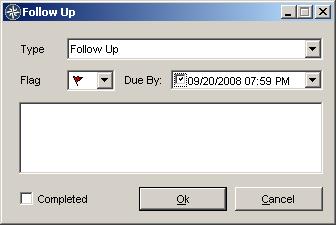
To set the reminder, right-click on the e-mail message and choose "Flag for Follow Up". The following dialog is shown, where you can check the Due By box and set a date and time.
To set the reminder, right-click on the e-mail message and choose "Flag for Follow Up". The following dialog is shown, where you can check the Due By box and set a date and time.