
If you would like to be able to send to your Principals a list of the invoices with unpaid commissions that are overdue, here's how:
I. Navigate to the Add/Edit Payment dialog.
On the New toolbar, click on the "Create Payment" icon
On the New toolbar, click on the "Create Payment" icon

II. In the Add/Edit Payment dialog, type in the name of your Principal in the blank field on the top left

III. Click on the down arrow to select the number of days to go back for unpaid invoices
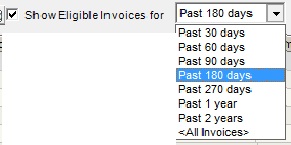
IV. Select all unpaid invoices
1. To make it easier to see the overdue invoices, click on the right-facing arrow in the "Invoice Date" column header and select "Sort -> Ascending".
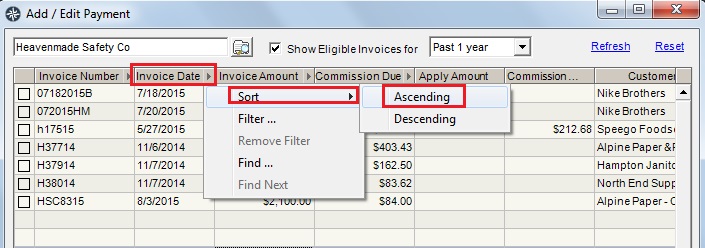
This will place the oldest invoices at the top of the table.
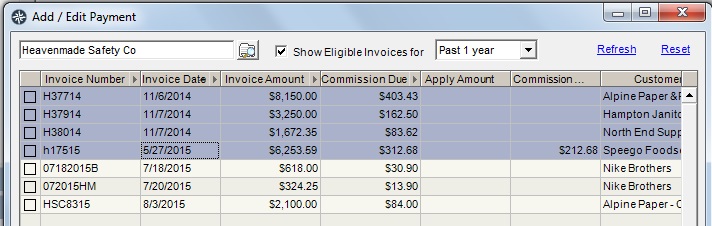
If all of the invoices showing in the table are overdue commissions:
1. Place your cursor in the table, and on the keyboard, hold down the "Ctrl key" and click the "A" key
If only a few of the invoices showing in the table have overdue commissions:
2. In the table, click on the first invoice to include, hold down the "Ctrl" key, then click on the other invoices you want to include.
V. Copy Selection or Print*
Once you have selected the unpaid invoices showing overdue commissions, you have two options on what to do with them:
1. If you want to save the results to a file, then attach the file to an e-mail to send to your Principal:
a - Right-click on the highlighted invoices and select "Table ->Copy Selection"
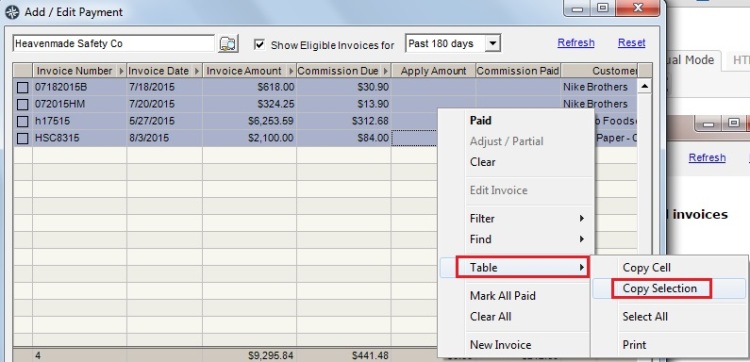
b - Open a new file in Excel, place your cursor in the A1 cell, right-click and select "Paste"
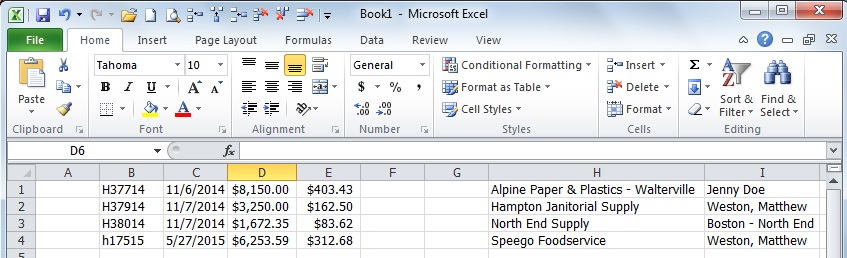
c - You will have to clean up the spreadsheet by adding the column headers and deleting blank columns in the Excel file
d - Save the file
e - Open a new E-mail and attach the file to send to your Principal
2. If you want to print* the results:
a - Right-click on the highlighted invoices and select Table → Print
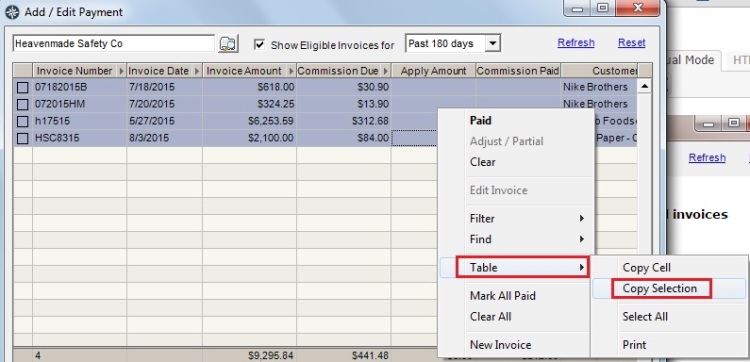
* If you choose the Print option, all of the unpaid invoices, whether overdue or not, will appear in the resulting printed page(s).
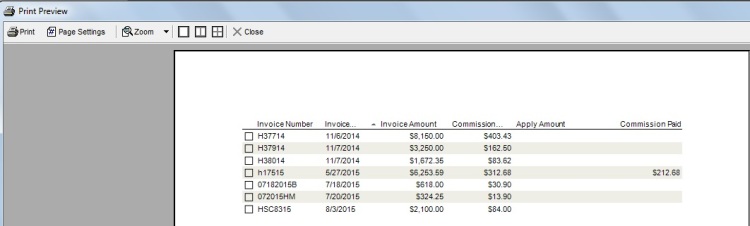
You can decide whether you want to highlight the unpaid invoices with overdue commissions or not before sending it to your Principal.