
If you would like to capture additional information on an invoice, so you have it there for future reference or to send to a partner when you are capturing Orders, a good place to put it as a Line Item on the Invoice. Line Item Descriptions have always been customized for such things as private label goods or product variations that are available from the vendor, but there is nothing to say we can't make available any kind of detail about the order that could be helpful.
In the example shown below, we have added a line item "Ship Method" to the invoice. We included the actual method of shipping and account number used as the Description.
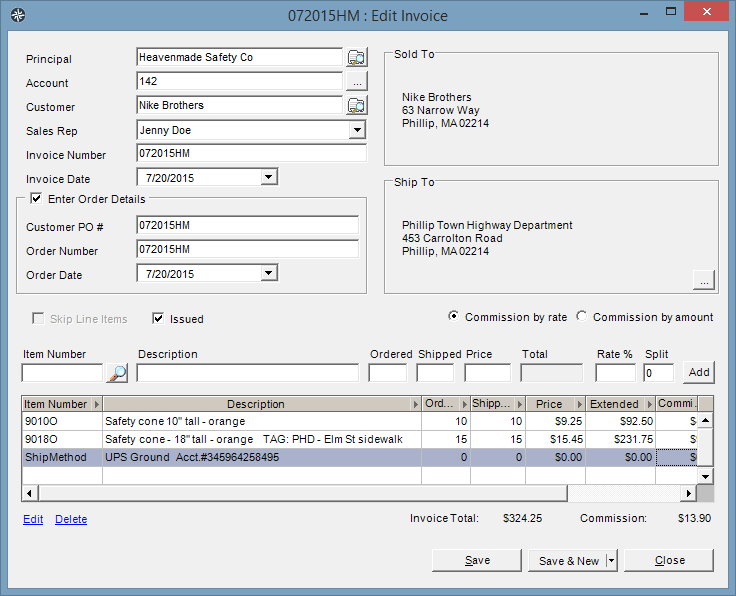
As many line items as desired can be added, capturing things like handling instructions, miscellaneous contact information, separate bill to details, or just miscellaneous notes.
Line items print out on the Order Printout report, and also are reported on all Data Analysis cubes that show line item detail -- it may not be terribly important to see a customer's preferred method of shipping in the details of a data analysis, but it is there in case it is help to you.