
All Plus Package Users have always had the ability to access their MRSware Mailboxes via POP3 or IMAP from any mobile device, mail client software, or webmail website. In each of those case, the User needs to do a one-time setup of their specific email settings for their mailbox. While this is not a big deal, it does require the User to take some action to setup access to their mailbox ahead of time.
With the introduction of our own webmail website, we have done the setup for each User's company already. What this means is that each User only need to know their Email Address and Email Password in order to login and access their mailbox. Now, if your computer is lost, if you get a new computer, or if you have the need to access email from someone else's computer, the setup is done for you and all you need do is login.
With the introduction of our own webmail website, we have done the setup for each User's company already. What this means is that each User only need to know their Email Address and Email Password in order to login and access their mailbox. Now, if your computer is lost, if you get a new computer, or if you have the need to access email from someone else's computer, the setup is done for you and all you need do is login.
From your web browser, open the http://webmail.mrsware.com site. Use your full email address and that mailbox's password to login and access your mailbox. The site works in all web browsers that I tested, including mobile browsers on cell phones. If you have difficulty accessing or logging into the website, check the WebMail.MRSware.com FAQ post for help.
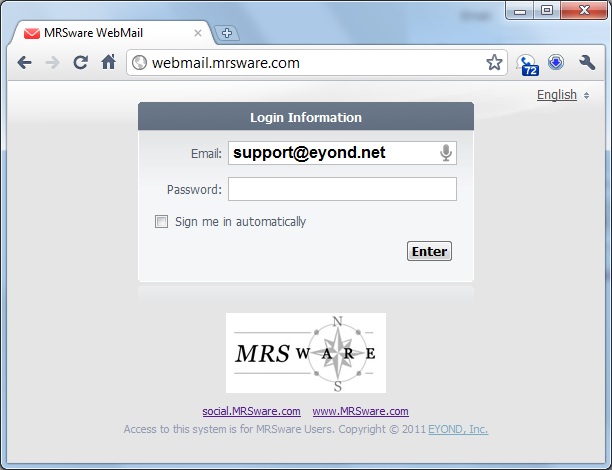
The WebMail site is easy to access and easy to login to. However, in most cases you will have a better email experience using the MRSware Mail Client, your computer's mail client software, or your mobile devices built-in mail client. Especially in the case of your mobile device, where its mail client is optimized for the screen size that it is installed on, we do recommend you set it up to access the POP3 or IMAP services directly.
Keep in mind that your Mailbox Password can be set separately from your regular MRSware login password, and therefor may not be the same. If you need your password reset, speak to your company's System Administrator, or contact us at [email protected].
Plus Package Users that have POP3 access enabled to their Mailboxes will have POP3 access through WebMail.
Plus Package Users that have IMAP access will have IMAP access to their Mailbox through WebMail.