
Part 13: MREPS – Trace Sales, POS Reports & SPA Rebates
The Trace Sales module in MRSware Desktop is engineered specifically for multi-line manufacturers' representative agencies, master distributors, and sales organizations that sell through wholesale distribution networks. In multi-tier supply chains, manufacturers ship inventory to distributor stocking branches, and distributors subsequently sell those goods to local electrical, plumbing, HVAC, industrial, or electronic contractors, OEMs, and commercial end users. The Trace Sales module captures these distributor sell-through transactions, processes point-of-sale (POS) reports, audits Special Pricing Agreement (SPA) manufacturer rebates, and automates split commission crediting between Originating and Destination sales reps.
Press Ctrl+N to create a new Trace Sale, Ctrl+E to edit the selected transaction, Del to delete, or click Edit in Spreadsheet to launch high-speed Excel-style batch entry.
Trace Sales & Sell-Through Overview
In traditional representative agency operations, tracking factory direct invoices alone provides only half the revenue picture. While factory invoices record what was shipped into a distributor's central warehouse, Trace Sales (Distributor Sell-Through / POS) record what was actually pulled out of warehouse stock and delivered to local end buyers.
🎯 End-User Account Visibility
Unmask the ultimate contractor, OEM, facility, or institutional buyer behind distributor purchases. Identify your agency's true top purchasing accounts regardless of which local distributor branch fulfilled the order.
💰 SPA Rebate Tracking & Audit
Track Special Pricing Agreements (SPA) where distributors sell contracted items at discounted prices and submit rebate claims back to the factory. Track exact line-item rebate amounts and SPA contract numbers.
🗺️ Originating vs. Destination Rep Splits
Distinguish between the Originating Sales Rep (who secured the distributor stocking order or branch relationship) and the Destination Sales Rep (whose territory received the product and job delivery).
⚡ Excel-Style Batch Ingestion
Process weekly and monthly distributor POS files in minutes using the built-in Edit in Spreadsheet grid with copy/paste, autocomplete dropdowns, and transactional commit.
Security Permissions & Desktop Navigation
Access to Trace Sales is secured by MRSware's role-based security subsystem. Administrators can configure permissions per user or security group under System Administration → Roles & Permissions:
- Required Base Permission:
MRSware/Manufacturers Rep/Invoices– Grants view and search access to Trace Sales listings, forms, and reports. - Edit Permission:
MRSware/Manufacturers Rep/Invoices/Edit– Enables the New (Ctrl+N), Edit (Ctrl+E), and Edit in Spreadsheet toolbar buttons and context menu commands. Without this permission, records can only be viewed in read-only mode. - Delete Permission:
MRSware/Manufacturers Rep/Invoices/Delete– Enables the Delete (Del) toolbar button and context menu option. Deleted records are retained in the administrative recycle vault for audit protection.
Navigating to Trace Sales:
- Navigation Shortcut Bar: Click the Trace Sales button in the left sidebar module strip.
- Main Application Menu: Select Modules → Trace Sales from the top menu bar.
- Multi-Module Search Dialog: Press Ctrl+K or choose Search → Multi-Module Search, type
trace salesor a distributor invoice number, and press Enter.
Trace Sales Listing Table (TraceSaleListingTable)
The Trace Sales Listing Table provides a zero-latency, high-density view of sell-through transactions. To maximize performance over multi-year enterprise datasets, the listing table automatically applies an intelligent default filter upon opening:
When opened without an explicit search query, the listing table automatically queries records from the last 60 days (TraceDate >= DateTime.Now.AddDays(-60)). This ensures instant screen loading. To view earlier periods, click the Search button or use Advanced Trace Sale Search.
Listing Table Columns
| Column Header | Property Path | Data Type / Alignment | Description & Operational Usage |
|---|---|---|---|
| Date | TraceDate | Date (Short Date) | Date the sell-through transaction occurred or distributor POS statement date. |
| Dist Inv # | DistributorInvoiceNumber | Text (Left) | Distributor invoice number, branch billing slip, or POS transaction ID. |
| Principal | ManufacturerContact.CompanyName | Text (Left) | Manufacturer/principal line whose products were sold. |
| Distributor | DistributorContact.CompanyName | Text (Left) | Wholesale distributor or master distributor branch that fulfilled the order. |
| End User | EndUserContact.CompanyName | Text (Left) | Purchasing contractor, manufacturing OEM, industrial plant, or retail customer. |
| Branch | BranchCode | Text (Left) | Distributor branch identifier or warehouse store code (e.g., BR-102). |
| State | ShipToState | Text (Left) | Destination state code where products were delivered or installed. |
| Total Sales | TotalAmount | Currency (Right) | Calculated sum of all line item extended amounts (QuantityShipped × EndUserSellPrice). |
| SPA Rebate | TotalRebate | Currency (Right) | Calculated sum of all line item Special Pricing Agreement (SPA) rebate claims. |
Toolbar Controls & Context Menu Actions
- New (Ctrl+N): Opens a blank Add / Edit Trace Sale window.
- Edit (Ctrl+E): Opens the highlighted trace sale in the detail editor. Double-clicking any row executes this action.
- Edit in Spreadsheet: Opens all currently filtered rows in the full-screen Trace Sales Spreadsheet Form for rapid batch editing and clipboard copy/paste.
- Delete (Del): Deletes the selected record, prompting for confirmation.
- Right-Click Row Menu: Right-clicking any row exposes Edit, Edit in Spreadsheet, and Delete.
- Right-Click Table Menu: Right-clicking empty space in the grid provides New Trace Sale and Edit in Spreadsheet.
Add / Edit Trace Sale Records (AddEditTraceSale)
The Add / Edit Trace Sale window provides comprehensive control over transaction headers, participating CRM entities, and multi-line item entries.
1. Transaction Header & Three-Party Relationship Mapping
🏭 Principal (Manufacturer)
Linked contact selector filtered strictly to ManufacturerType contacts. Defines the product line and contract terms for the sale.
🏢 Distributor (Wholesaler)
Linked contact selector filtered to CustomerType contacts representing the stocking wholesale branch or master distributor.
👷 End User (Buyer / Contractor)
Linked contact selector for the ultimate purchasing contractor, OEM, or commercial entity receiving the goods.
📍 Branch & Invoice Identifiers
Distributor Invoice Number (text), Trace Date (calendar picker), and Branch Code (e.g. DENVER-NORTH) for warehouse accounting.
2. Physical Ship-To Destination Tracking
To support territory boundary audits and destination commission crediting, the header includes complete ship-to address fields: Ship-To Name, City, State, and Zip Code. If the end user account has a primary business address on file, MRSware can automatically pre-populate these fields.
Line Items, Pricing & SPA Rebates
The middle panel of the Add / Edit dialog houses the Line Items Table and its dedicated fast-entry action bar. Users can add individual part numbers, calculate extended sales, and record Special Pricing Agreement rebates.
Line Item Entry Fields & Schema
- Part Number (
DistributorPartNumber): The manufacturer part catalog number or distributor SKU code. Can be optionally linked to the master Product Catalog (CatalogItemId). - Description (
ProductDescription): Freeform item text description. - Quantity Shipped (
QuantityShipped): Number of units sold and shipped from distributor stock. - Distributor Cost (
DistributorCost): The wholesale cost at which the distributor originally purchased the goods from the manufacturer. - End User Sell Price (
EndUserSellPrice): The price charged by the distributor to the end contractor or customer. - Extended Amount (
ExtendedAmount): Automatically calculated asQuantityShipped × EndUserSellPricewhenever quantity or sell price is modified. Can be manually adjusted if required. - SPA Rebate Amount (
RebateAmount): The total credit or dollar rebate claimed by the distributor from the manufacturer under a Special Pricing Agreement. - SPA Reference Number (
SPAReferenceNumber): The manufacturer's official authorization or agreement contract number (e.g.,SPA-88421-B). - Commission Rate & Amount (
CommissionRate,CommissionAmount): Specific rep agency commission percentage and calculated earnings for the line item. - Line Notes (
LineNotes): Specific job reference, serial numbers, or special contract clauses.
Line Item Action Buttons
Directly above the line items grid, the action panel features four quick buttons with visual icons:
- Add Part: Validates inputs and inserts the line item into the grid.
- Edit Part: Loads the selected row back into the input boxes for rapid modification.
- Delete Part: Removes the selected line item from the transaction.
- Clear Part: Resets all line item input fields for the next entry.
Live Aggregate Totals
The bottom status bar dynamically recalculates and displays formatted totals in real time:
- Total Sales (
lblTotalAmountValue): Sum of all line item extended amounts. - SPA Rebate (
lblTotalRebateValue): Sum of all line item SPA rebate amounts.
Originating vs. Destination Rep Split Crediting
In multi-territory representative agencies, distributor sales frequently cross internal rep territory borders. For example:
A regional electrical distributor located in Chicago, IL (Rep A's territory) purchases stocking inventory from the manufacturer. Three weeks later, the distributor delivers \$45,000 of lighting fixtures to a major hospital construction project in Milwaukee, WI (Rep B's territory). Without trace sales tracking, Rep A would receive 100% of the commission on the factory stocking invoice, while Rep B receives zero credit despite doing all the local specification work with the hospital engineers.
MRSware Desktop solves this using dedicated dual rep dropdowns on both the header and spreadsheet grids:
- Originating Sales Rep (
comboOriginRep): The sales rep responsible for calling on the distributor purchasing branch, conducting branch counter days, and securing stocking orders. - Destination Sales Rep (
comboDestRep): The field territory rep responsible for specifying the product with local architects, engineers, contractors, and end-user facility managers.
When generating commission statements or running Data Analysis reports, agency principals can split commission pools cleanly according to agency contract percentages (e.g. 50/50, 60/40, or 70/30) based on these fields.
Edit in Spreadsheet Batch Entry (TraceSaleSpreadsheetForm)
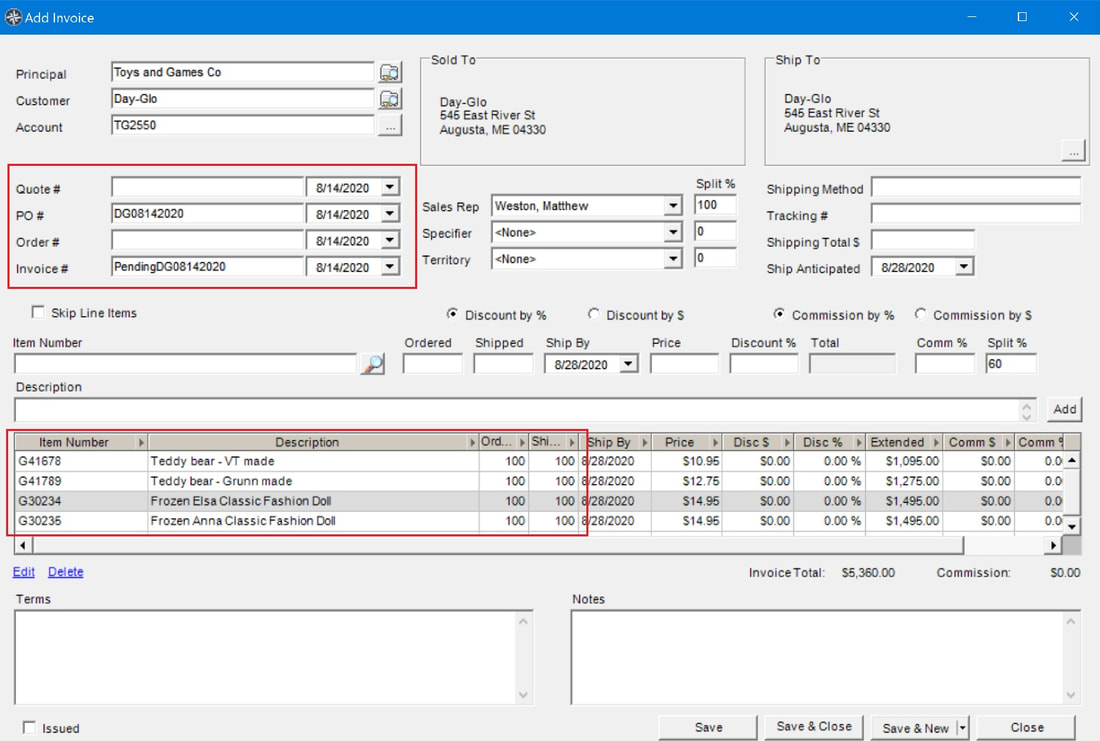
When distributors provide monthly POS spreadsheets containing hundreds of transactions, manually opening individual forms is impractical. MRSware Desktop includes a dedicated, full-screen Trace Sales Spreadsheet Form powered by the high-performance Janus GridEX SpreadsheetGridControl.
Spreadsheet Grid Capabilities
- In-Cell Autocomplete Dropdowns:
Principal: Dynamic dropdown populated with all active manufacturers.Distributor: Autocomplete dropdown populated with wholesale customer accounts.End User: Autocomplete dropdown populated with commercial contractor and OEM accounts.Origin Rep&Dest Rep: Autocomplete dropdowns populated with all active agency sales reps (plus<None>).
- Direct Cell Editors:
Trace Date: In-cell calendar drop-down picker.Dist Inv #,Branch: Direct text entry.Ship To,City,State,Zip: Fast inline address editing.Total Amount&Total Rebate: Currency-formatted numeric editors.
- Excel Clipboard Copy & Paste (Ctrl+C / Ctrl+V): Copy columnar data directly from Microsoft Excel or Google Sheets and paste into the grid. Rows are mapped into typed database entities instantaneously.
- Continuous Entry Line: New trace sales can be continuously typed at the bottom row without closing the window.
- Transactional Batch Save: Clicking Save or Save and Close executes a single atomic transaction. The status label displays real-time progress:
Saving changes... Saved 84 trace sale(s). (0 errors) - Error Isolation: If a row contains invalid data (such as an unmapped manufacturer ID), the transaction isolates the error, alerts the user, and keeps valid rows intact.
Advanced Trace Sale Search (AdvancedTraceSaleSearch)
To locate specific historical transactions across multi-year archives, MRSware provides the Advanced Trace Sale Search dialog (accessible via Search → Trace Sales or through the Shortcut Bar):

Search Filtering Parameters
- Manufacturer Selector: Filter by specific factory line.
- Distributor Selector: Filter by specific wholesaler or regional branch network.
- End User Selector: Filter by specific contractor, fabricator, or commercial account.
- Invoice Number Text Box: Filter by exact or partial distributor invoice number.
- Checked Date Range Group Box: Enable the checkbox to filter by transaction date:
- From Date: Defaults to January 1 of the current year (
new DateTime(DateTime.Now.Year, 1, 1)). - To Date: Defaults to today (
DateTime.Now).
- From Date: Defaults to January 1 of the current year (
Clicking OK compiles the criteria into an optimized database query and automatically navigates the host workspace to the Trace Sales Listing Table displaying the filtered results.
Universal Multi-Module Search Integration
Trace Sales is natively integrated into MRSware Desktop's universal Multi-Module Search Dialog (Ctrl+K). When entering search queries:
- Module Keywords: Type
trace sale,trace sales, ortracesalesfollowed by a search term. - Entity Matching: The search engine scans
OMTraceSalerecords across distributor invoice numbers, branch codes, linked distributor company names, and end-user accounts. - Instant Result Launch: Double-clicking any search result immediately opens the transaction in the
AddEditTraceSaleeditor.
Reporting, 5 Magical Columns & Financial Analytics
All data captured in Trace Sales feeds directly into MRSware's analytical reporting engines, unlocking high-level visibility for agency principals:
📊 The 5 Magical Columns
Trace sales roll into Data Analysis OLAP pivot grids, calculating Sales, Cost, Gross Margin (GM), Commission, and Commission GM across any dimension.
🏆 End-User Account Ranking
Rank end users by total annual volume regardless of whether they purchased through Ferguson, Graybar, Rexel, or local independent wholesalers.
🛡️ SPA Audit & Reconciliation
Cross-reference distributor rebate claims against manufacturer credit memos to verify that SPA discounts were properly authorized and paid.
📈 Inventory Pull-Through Velocity
Compare factory shipments (invoices) into distributor branches versus sell-through (trace sales) out of those branches to identify overstocked or starving distributors.
Channel Best Practices & FAQs
- Standardize Branch Codes: Maintain a consistent branch naming convention (e.g.,
WESCO-401,GRAYBAR-CHI) to aggregate sales accurately across large distributor chains. - Handle Non-Unique Distributor Accounts: When distributors report end users using internal branch account numbers, use MRSware's Account Unification formulas (concatenating Account # + Name + City) or link by direct Contact Name.
- Audit SPA Contract Numbers: Always record the manufacturer's authorized SPA Reference Number on line items. If a factory audit disputes a rebate claim, having the contract ID and sell-through date in MRSware prevents commission clawbacks.
- Leverage Destination Rep Tagging: Always assign the Destination Sales Rep according to the delivery job site. This ensures field sales reps are fairly compensated for job specification and local contractor support.
- Resolve Duplicates Early: Use the Duplicate Removal Wizard periodically to merge slightly varied distributor spellings of contractor company names into a single clean master account.